
Description
Google Analytics is complicated!
You shouldn’t have to spend hours on tracking scripts, variables, dimensions, and other complexities just to answer basic questions about your visitors.
That’s why we built Independent Analytics.
Independent Analytics gives you simple, common-sense stats you can use to grow your website.
It automatically tracks your visitors and adds easy-to-read reports right inside your WordPress admin dashboard.
As a Google Analytics alternative, Independent Analytics also offers superior privacy for yourself and your visitors. It does not use cookies, store personal data, or communicate with external servers. All of your data is created and stored in your WP database.
This is a free plugin and doesn’t require you to create an account on another site.
Loved by the WP Community ❤️
Independent Analytics has received praise and renown from WP Tuts, Web Squadron, WP Weekly, WP Builds, and many more publications.
Get Started in 60 Seconds
- Visit your Plugins > Add New menu
- Search for “Independent Analytics”
- Install and enjoy 🙂
Independent Analytics starts tracking visitors immediately. No JavaScript. No code snippets. No account to create. Just install and activate, and clear your cache once if you’re using a caching plugin. Your data starts showing up right away, so you can refresh the page and check how it’s going.
Who’s it for?
- Bloggers: Find out which posts are getting traction without wading through a dashboard built for enterprise marketing teams. Use Independent Analytics for simple blog statistics and blog stats that show you what’s actually being read.
- Builders & agencies: Give your clients analytics that they can easily understand and access from within the WP dashboard. No more fielding questions about complex GA4 reports or Google Tag Manager configurations.
- eCommerce stores: Check which products get the most views and what visitors are searching for before buying. Uncover your most valuable traffic sources to streamline your marketing, and get more advanced eCommerce store analytics with the Pro version.
- News sites: You need same-day site stats and a fast way to see what’s resonating now. The analytics update in real-time and you can quickly check your post views in the Posts menu while you work. You might also enjoy the real-time dashboard included in the Pro version.
- Startups: Get straight to the most valuable data without digging through endless menus. Find out where your early adopters are coming from and what messaging resonates with them.
- Nonprofits: You want to know where your donors come from and which campaigns get attention, without using cookies that violate donor trust. Easily share analytics access with other team members to get everyone on board with using data to advance your mission.
Fully Private for You and Your Visitors
Without privacy friendly analytics, you could be at risk of violating regional privacy laws, such as the GDPR (DSGVO) or CCPA. Independent Analytics Analytics is a privacy first analytics solution designed from the ground up for legal compliance.
- No communication with external servers
- No cookies
- No personal data
Skip the complexity of consent banners and data processing agreements by using self-hosted, cookieless analytics.
What You Can Track
Independent Analytics includes a wealth of metrics for understanding your visitors:
- Visitor tracking – track visitors across your site and see your unique visitor count, page views, and sessions.
- Engagement tracking – see how long people spend on your site, how often they “bounce,” and how many pages they view on average.
- Referral tracking – see your top referrers and traffic sources. Know which sites, search engines, AI platforms, and social networks send you traffic.
- Geographic tracking – see the countries and cities of your visitors.
- Device tracking – discover the device types people are using to access your site, including a mobile vs. desktop comparison.
- Campaign tracking – use UTM tracking to measure the performance of your marketing campaigns. Create UTM links and track results in the Campaigns report (Pro).
- Click tracking & link tracking – track clicks on any link or button. Includes outbound link tracking and download tracking for file download tracking (Pro).
- Form tracking & form analytics – automatically track form submissions across 20+ form plugins (Pro).
- Sales tracking & revenue tracking – connect your store for full eCommerce tracking with WooCommerce analytics and WooCommerce tracking. Also supports FluentCart, Easy Digital Downloads, SureCart, and PaidMembershipsPro (Pro).
Metrics at a Glance
Your analytics dashboard displays all the web analytics you need in one place:
- Page view and unique visitor counter
- Bounce rate and views per session
- Session duration and page view duration
- Popular posts and popular pages (top pages sorted by any metric)
- Top referrers and traffic sources
- Landing pages, entry pages, and exit pages
- Country statistics and city statistics with an interactive world map
- Device statistics, browser statistics, and operating system breakdowns
- Visitors growth and views growth
Every metric updates in real-time so you always have fresh website traffic data. Filter, sort, and segment by date range, post type, author, and many other factors.
Explore the Simple, Yet Powerful Features
Our WordPress statistics plugin is more robust than a simple hit counter and includes all of the following features:
- Pages report – discover your most visited pages.
- Referrers report – find the sites sending you traffic.
- Geographic report – see which countries and cities your visitors are from.
- Devices report – get a breakdown of traffic by device type, browser, and operating system.
- CSV exporting – export any report to CSV for further analysis in tools like Excel or Looker Studio.
- PDF exporting – export any report as a beautiful PDF report to share with colleagues.
- Saved reports – create and save custom reports to the sidebar.
- Share access with authors – share access with any user role in a few clicks and optionally limit the stats to only content published by the author.
- White-label the dashboard – white-label the analytics for non-admins to remove any branding and external links.
- View counts in the Posts menu – check how many views your recent posts have while browsing the Posts menu.
- Dashboard widget – get a quick look at your stats when you login.
- Admin toolbar stats – see how many views each page has while viewing or editing it.
- Public view counter – show off how many views each post on your site has gotten.
- Ignore user roles – easily ignore activity from admins while recording traffic from .Subscribers and Customers.
- Ignore IP addresses – add any IP address to your ignore list in just two clicks.
- Automatically delete old data – delete data older than X months/years to limit the total data storage.
- Filtering system – segment your data with the powerful filters.
- Essential metrics – find your views, visitors, sessions, bounce rate, session duration, and views per session metrics in the Quick Stats, chart, and data table.
- Visitors Growth – find your fastest-growing pages and referrers.
- Author stats – sort and filter your pages by author.
- Post type stats – segment by post type to view stats for your posts, search results, custom post types, 404 pages, and more.
- Landing page stats – Use the Entrances metric to find your top landing pages.
- Developer API – the rudimentary developer API lets you get stats from any page on your site.
- RTL support – Independent Analytics works just as well for right-to-left languages.
- Mobile-friendly – the Analytics dashboard is fully compatible with mobile devices.
- Campaigns report (Pro) – create and track UTM campaign links.
- Real-time analytics (Pro) – see live visitors on your site right now.
- Click tracking (Pro) – track clicks on any link without touching code.
- eCommerce analytics (Pro) – integration with WooCommerce, FluentCart, EDD, SureCart, and PaidMembershipsPro. lets you find your most profitable campaigns, landing pages, and referrers.
- User journeys (Pro) – explore every recorded session including a timeline for each one, so you can understand exactly how visitors use your website.
- Form tracking (Pro) – automatically track form submissions and discover where your leads are coming from. Integration with 20+ top form plugins, such as WPForms, Contact Form 7, Fluent Forms, Gravity Forms, Mailchimp for WordPress, Ninja Forms, Formidable Forms, and more.
- Overview report (Pro) – create the perfect analytics dashboard for your website with the customizable Overview report.
- Solo reports (Pro) – view dedicated reports for individual pages and referrers.
- HTML email reports (Pro) – schedule a beautiful daily, weekly, or monthly email report for yourself and your clients.
Explore every feature with screenshots here
Built for Speed and Accuracy
Independent Analytics is a lightweight analytics plugin that won’t slow your site down. It uses a single, optimized database query to record each visit. No external scripts. No third-party requests.
Without the need for a consent banner, your analytics are much more accurate. Only 31% of visitors accept cookie banners.
Unlike sampling-based tools, every single visit is recorded and no additional data is simulated. What you see in the dashboard is what actually happened on your site.
A Better Alternative
If you’re tired of bloated or invasive analytics tools, Independent Analytics is a refreshing change. People use it as a:
- Google Analytics alternative – no account needed and no data sent to Google. All your website analytics stay on your server.
- Matomo alternative – lighter weight, easier to use, and fully self-hosted without needing to maintain a separate application.
- Jetpack Stats alternative – faster, more feature-rich, and doesn’t require a WordPress.com connection.
- MonsterInsights alternative – view your web analytics natively in WordPress without connecting to Google Analytics.
- Plausible alternative – similar privacy-first approach but fully free and self-hosted with no monthly fee.
- Fathom alternative – similar simple analytics philosophy, but free and hosted entirely on your own server.
- Clicky alternative – real-time analytics without sending your visitor data to an external service.
WordPress Stats You Can Count On
Independent Analytics is the WordPress stats plugin trusted by over 100,000 websites. Whether you need simple site stats for a personal blog or full website statistics for a growing business, it gives you everything in one plugin.
Use it as your complete web analytics solution: track website traffic, monitor website traffic patterns over time, and understand where your visitors come from and what they do. It’s the WordPress analytics plugin the web has been missing.
Independent Analytics Pro
Get more valuable insights with the Independent Analytics Pro plugin, which includes UTM campaign tracking, real-time analytics, click event tracking, eCommerce sales tracking (WooCommerce, FluentCart, EDD, SureCart), user journeys, form conversion tracking, HTML email reports, and a customizable Overview report.
Click here to get Independent Analytics Pro
Who Made This?
Independent Analytics is designed and developed by Ben Sibley and Andrew Mead in the beautiful city of Philadelphia. Check out our interview on the WP Builds podcast if you’d like to hear our story.
Screenshots
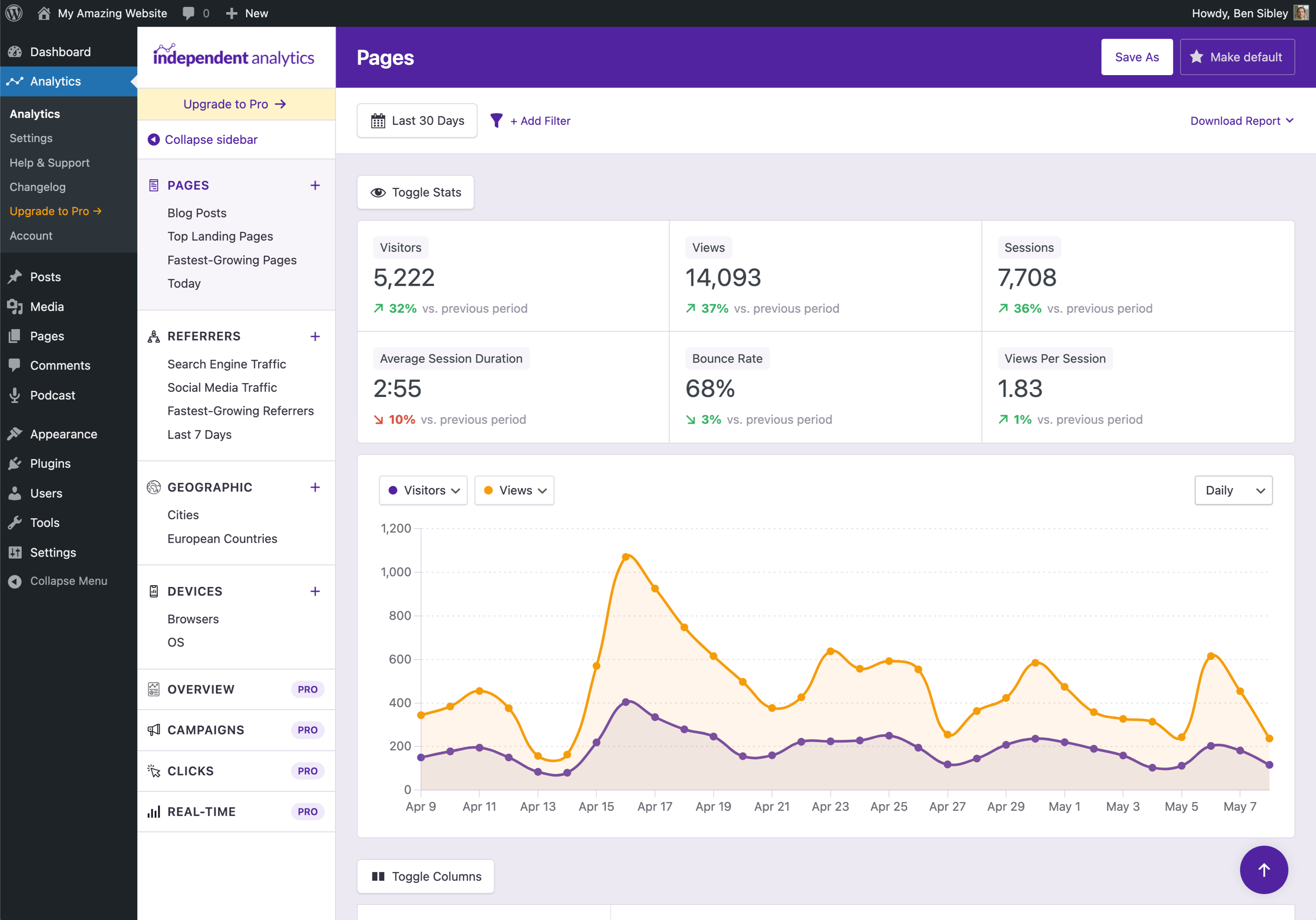
Beautiful analytics dashboard inside your WP admin 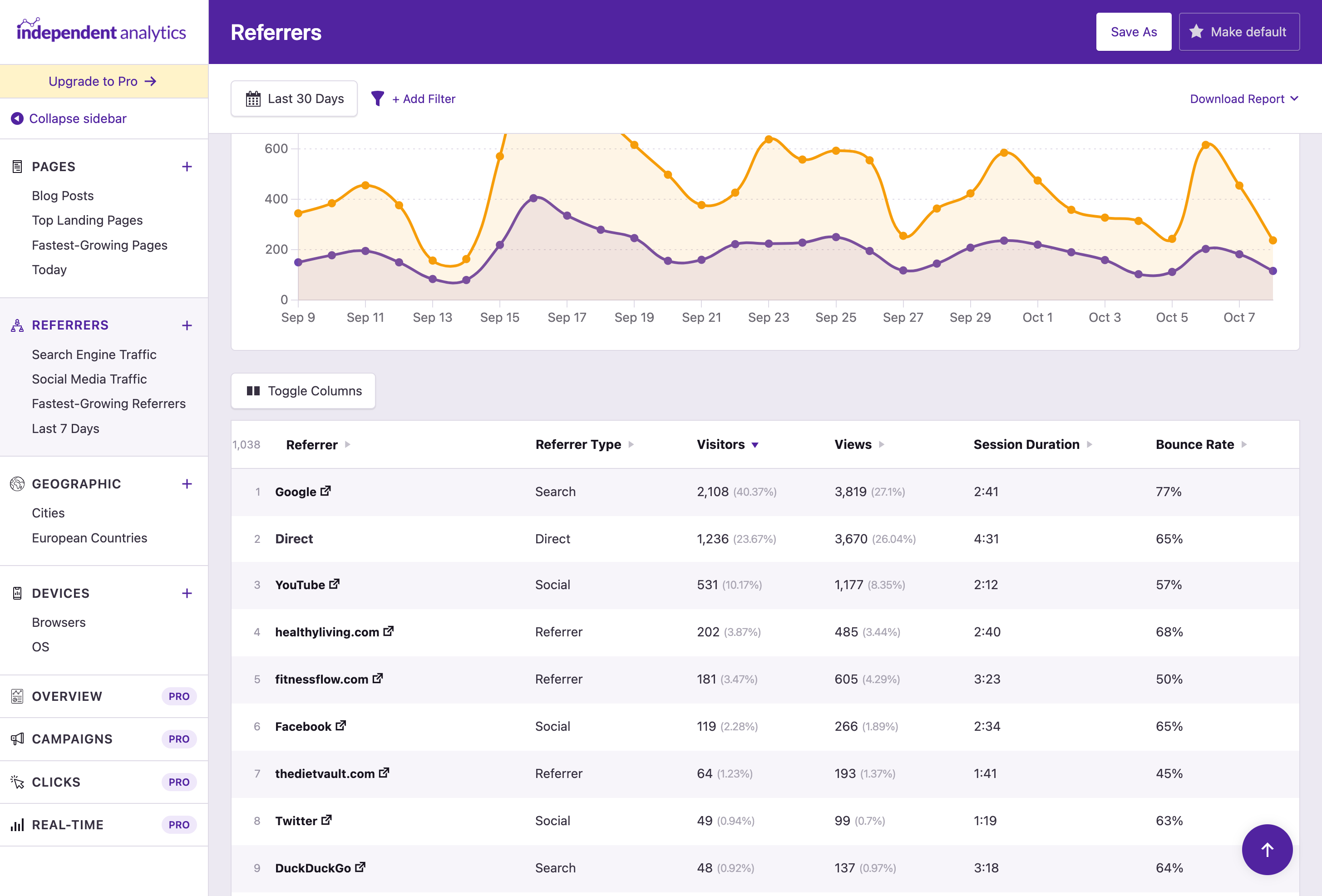
Analyze your traffic sources with the Referrers report 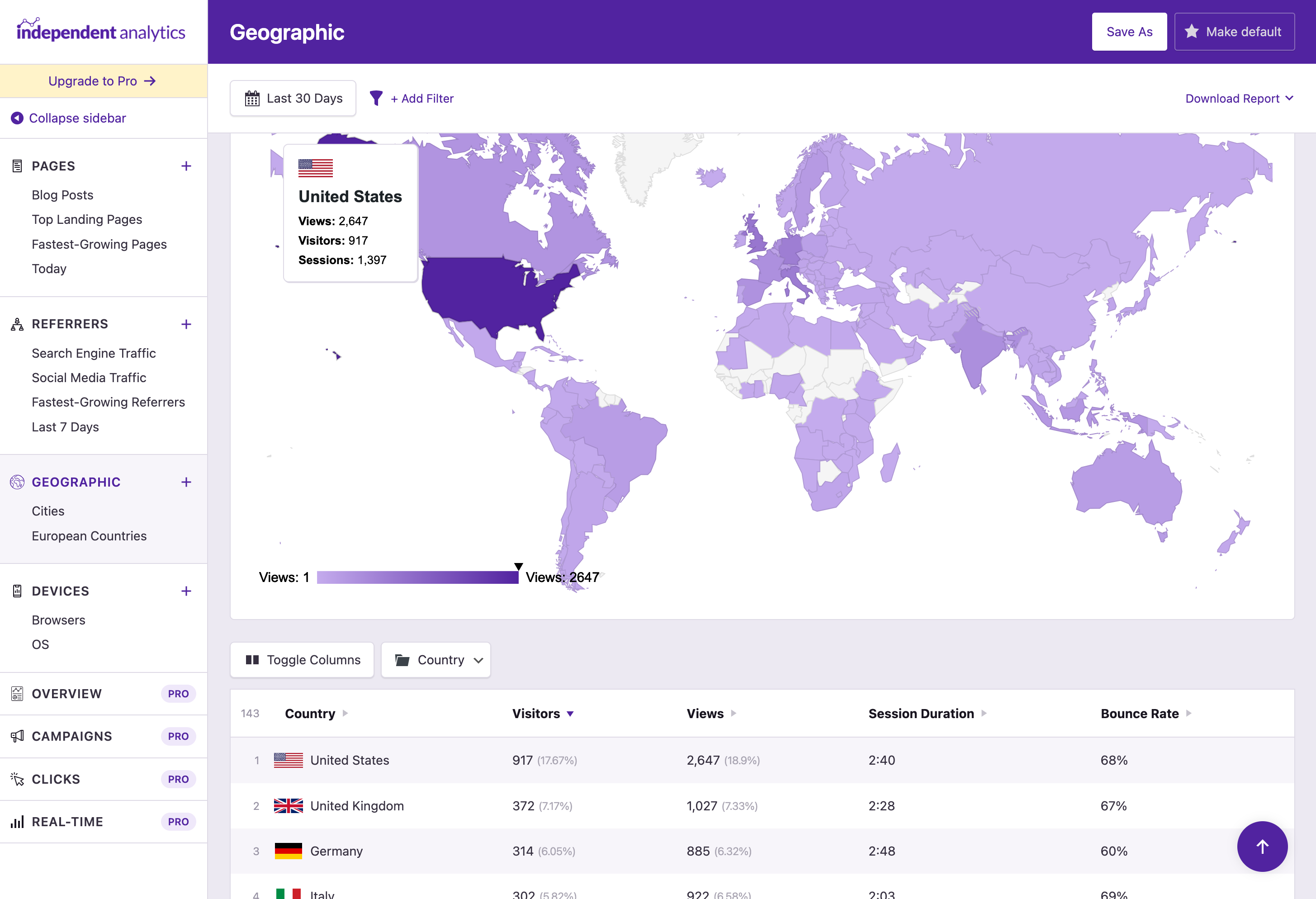
The Geographic report shows traffic from each country and city 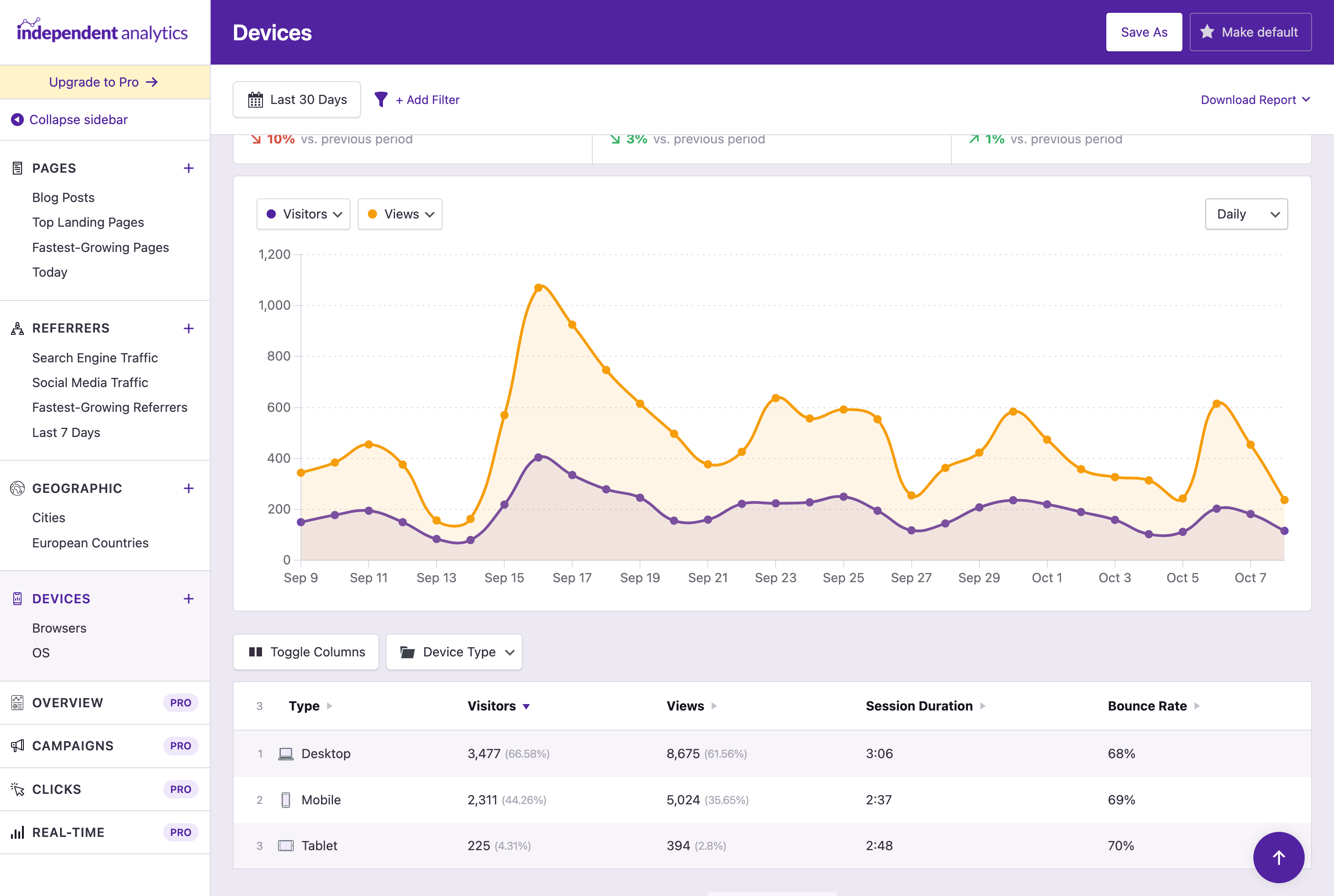
Find which devices and browsers your visitors use the most 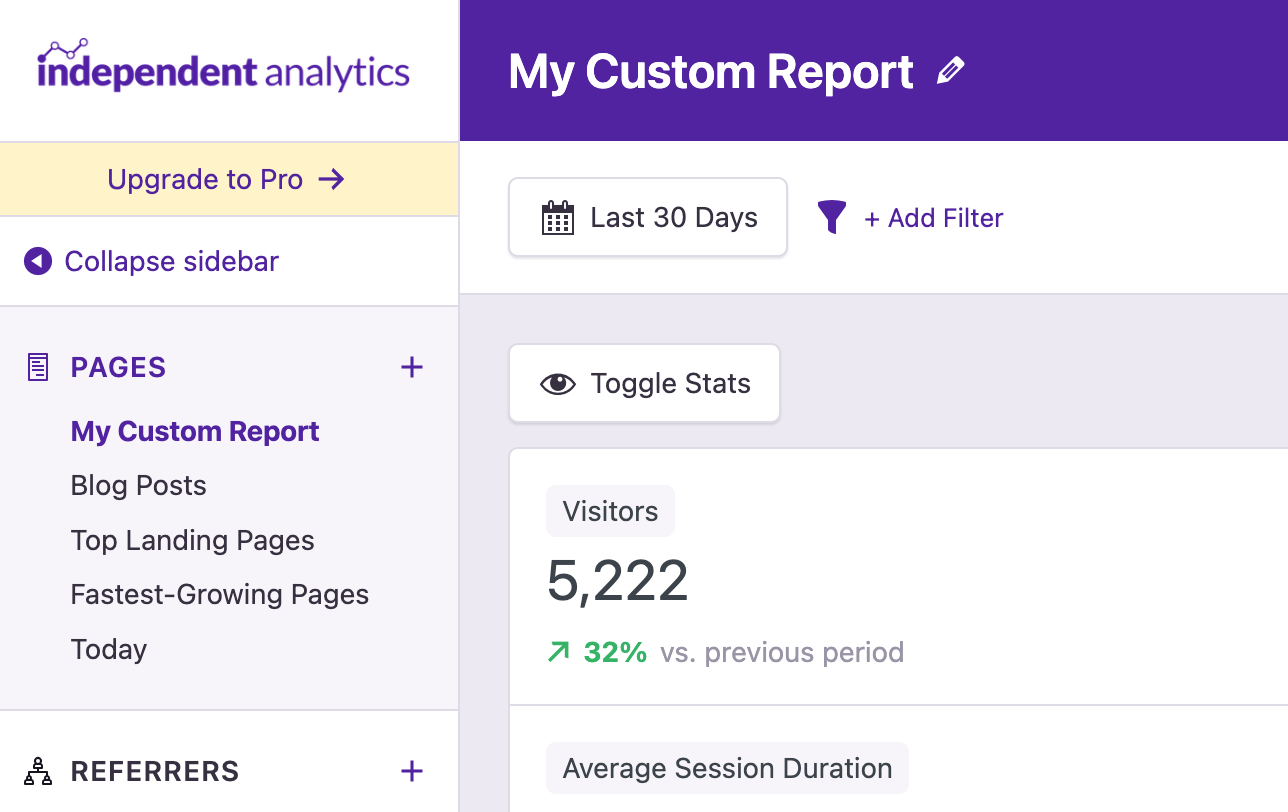
Customize your reports, then save them in the sidebar 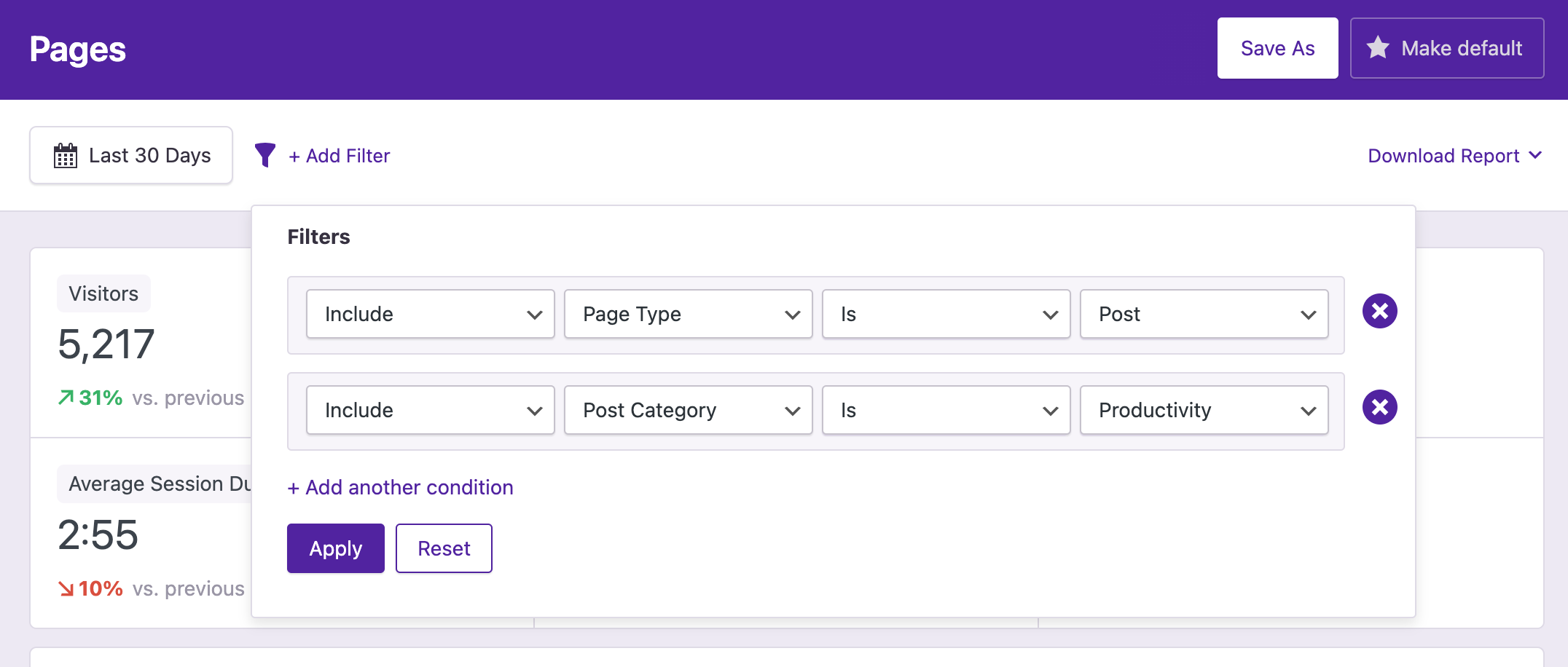
Filter your reports to analyze specific groups of pages 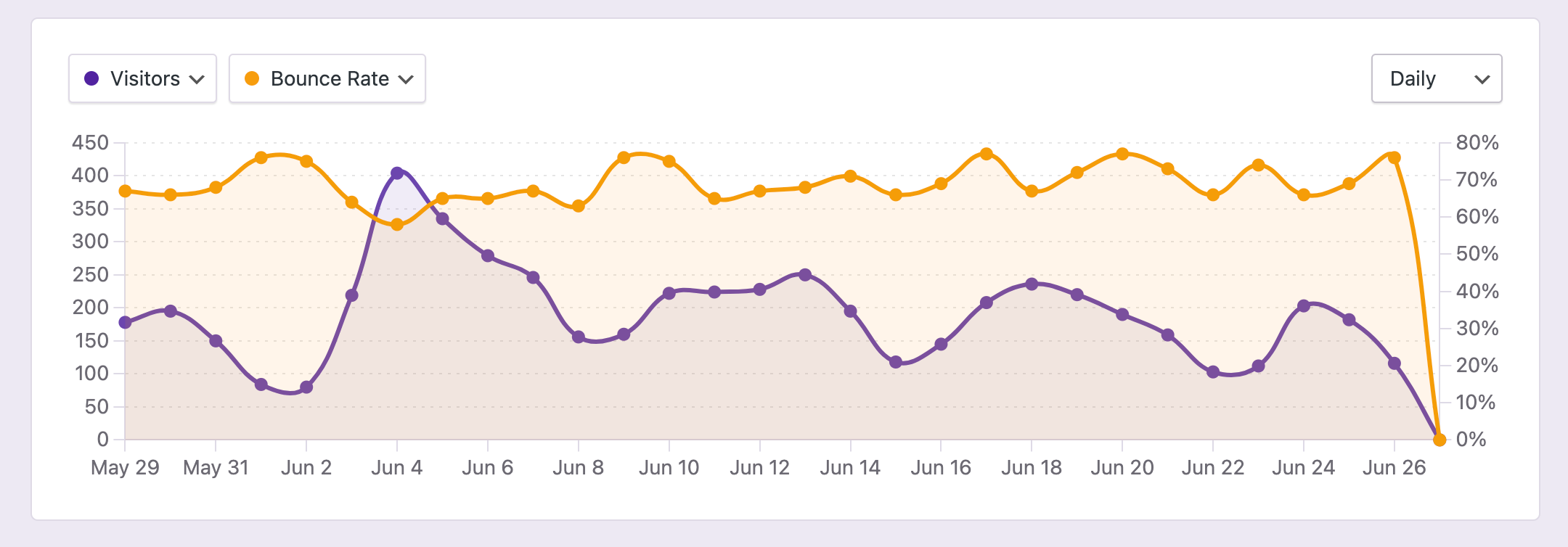
View any metrics you want in the chart 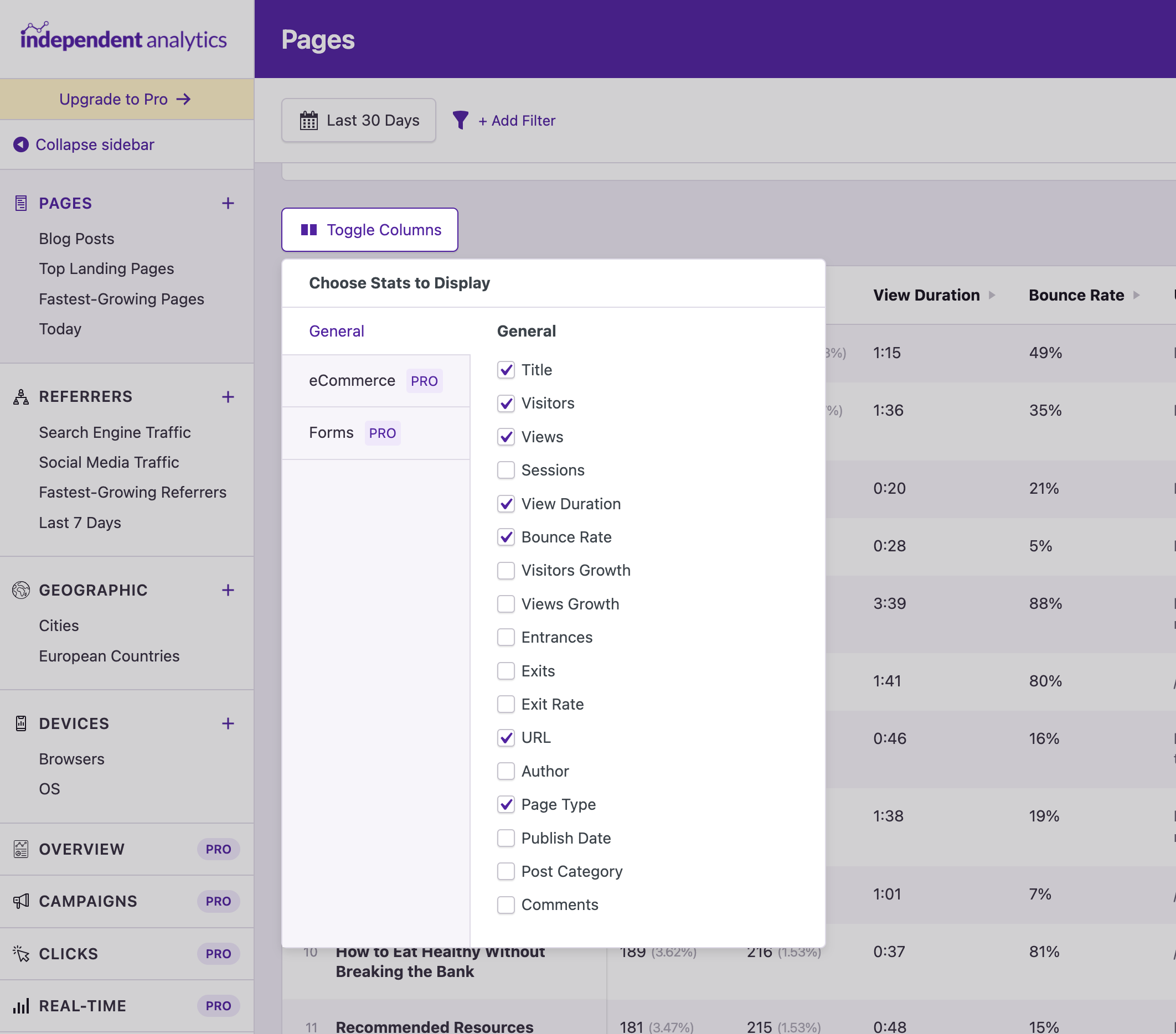
Customize the columns in the data table 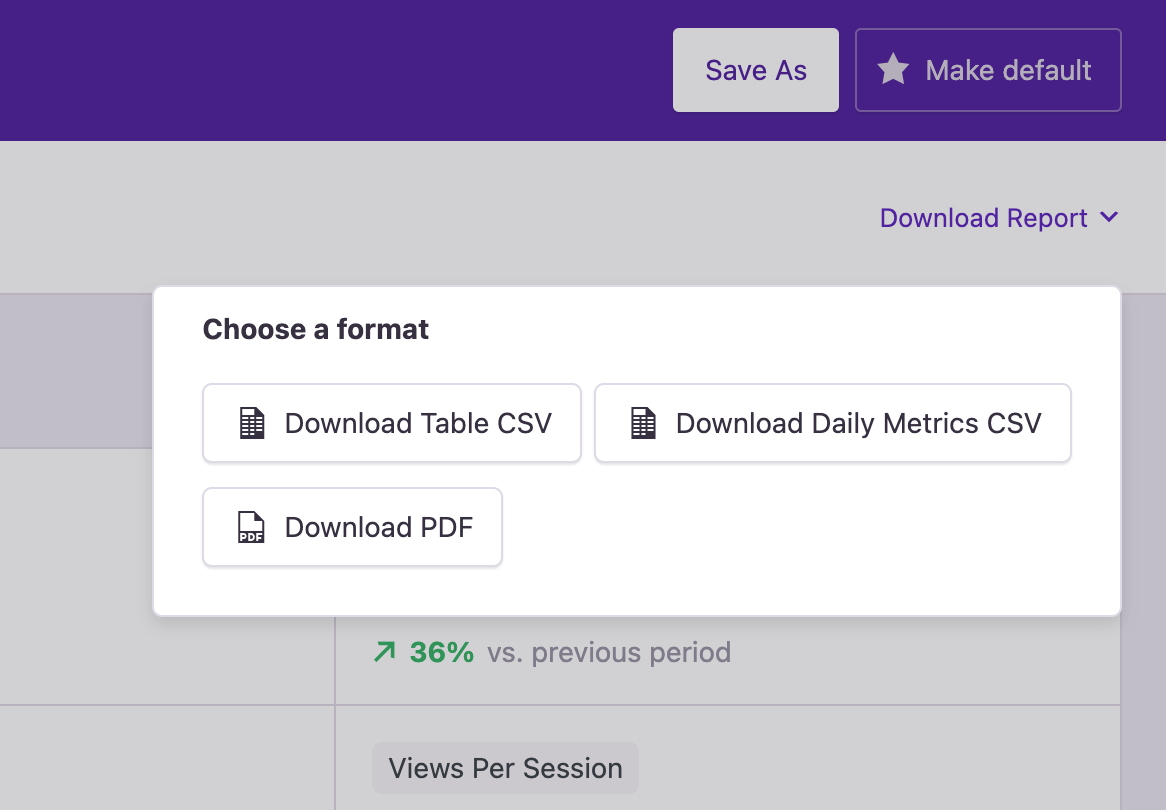
Export any report to PDF or CSV in one click 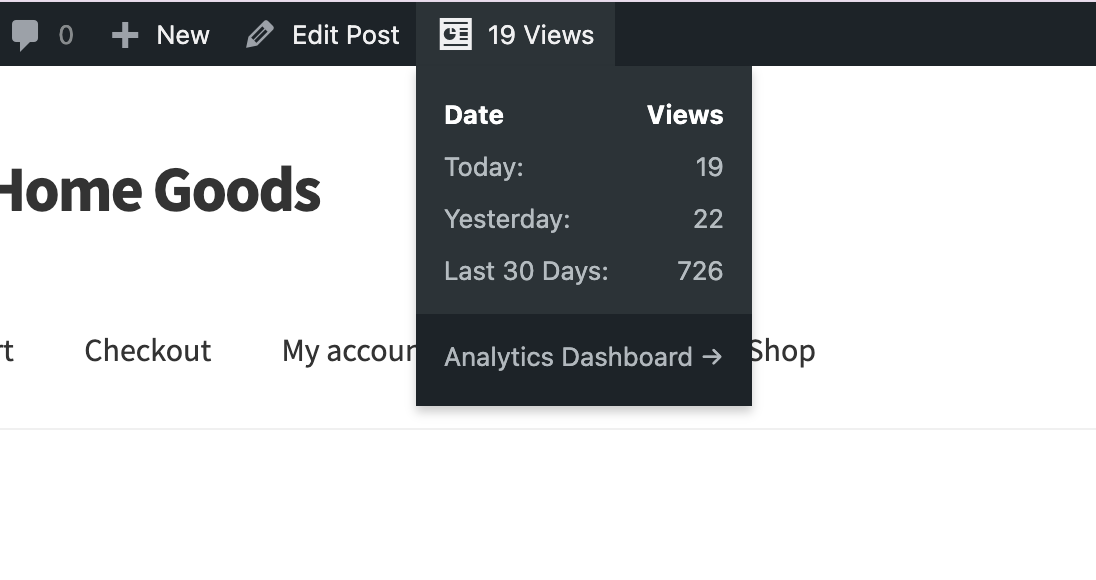
Find stats in the admin toolbar when viewing a page 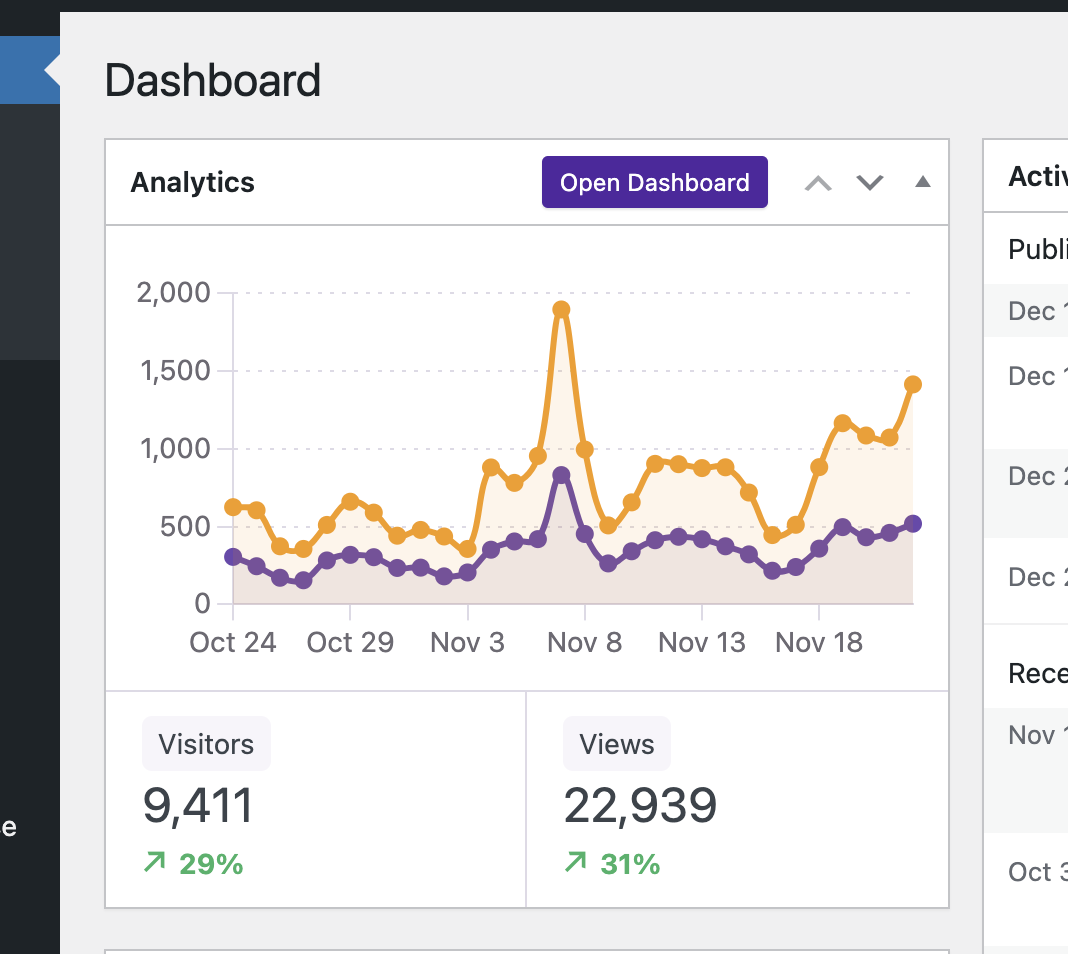
Check your stats at a glance with the dashboard widget 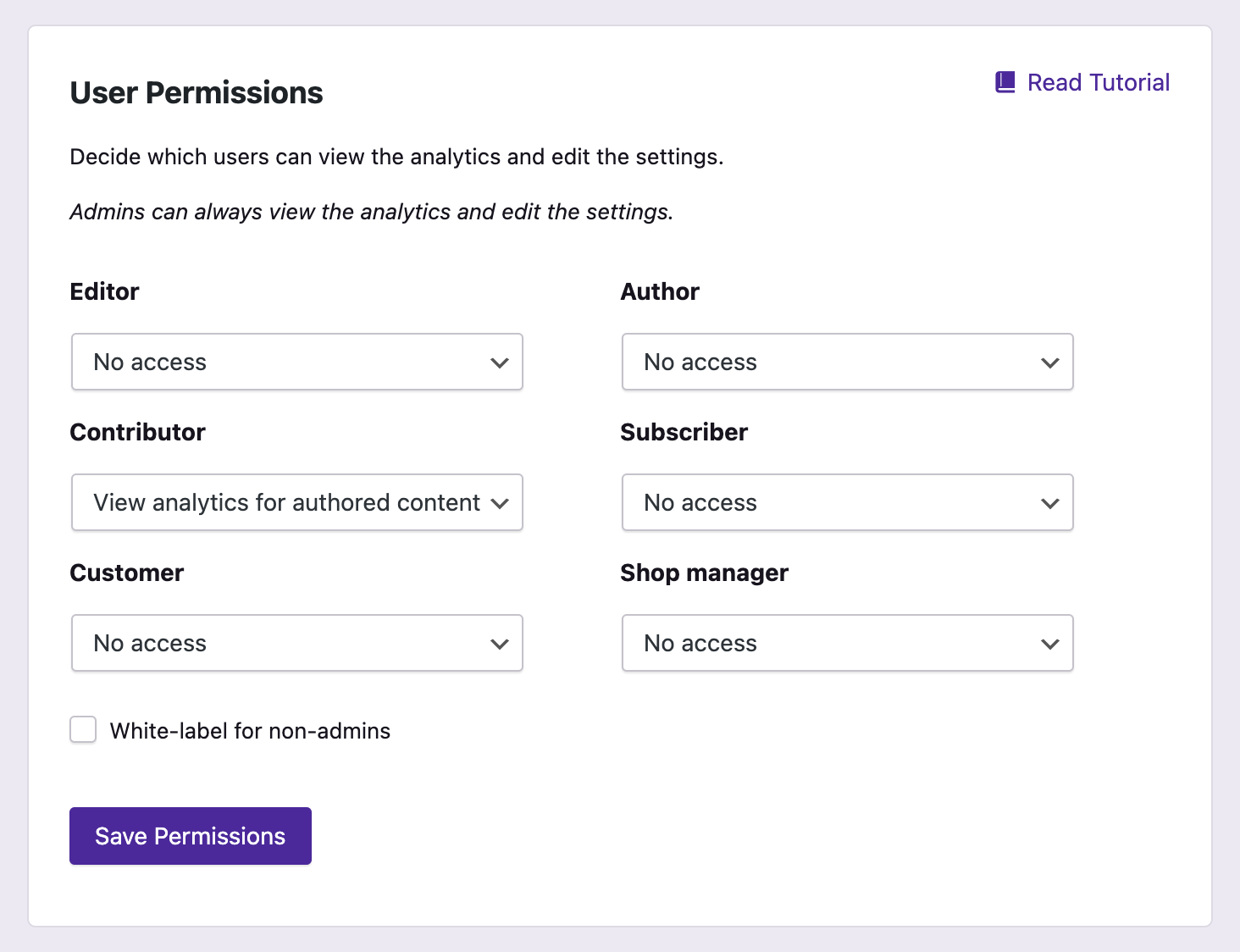
Share access with other users and limit the stats to their own posts only 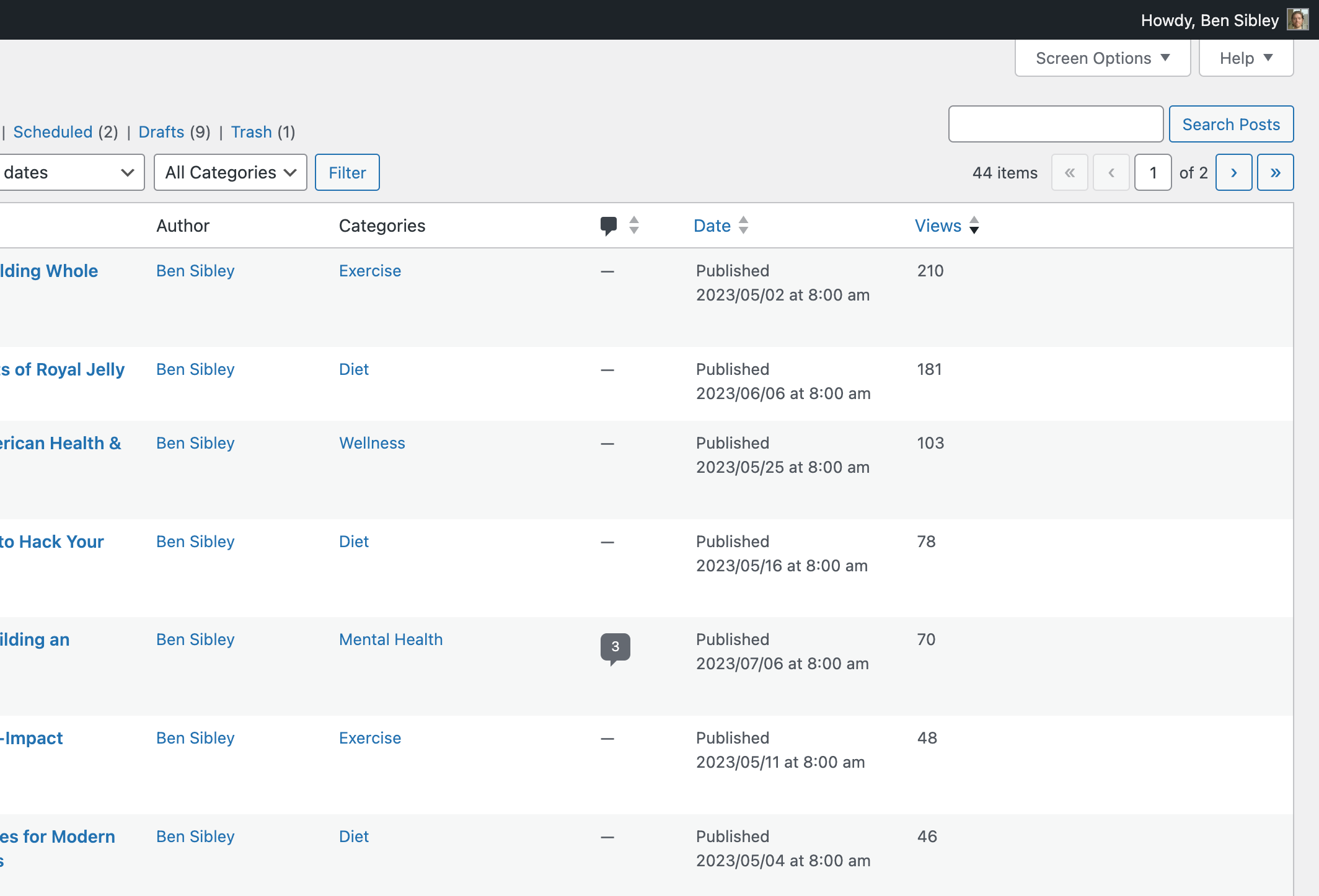
Check your post view counts in the Posts menu
Installation
The easiest way to install Independent Analytics is by visiting your Plugins > Add New menu. Search for “Independent Analytics” and install the first result you see there.
To install with the zip file downloaded from this page:
- Login to your WordPress dashboard
- Visit the Plugins > Add New menu
- Click the Upload Plugin button at the top
- In the upload form that appears, click the Choose file button and select the independent-analytics.zip file you downloaded here
- Click the Install Now button
- Once the page reloads, click the blue Activate link
Enjoy your new WordPress analytics plugin 🙂
FAQ
-
How do I install it?
-
Download it from this page and upload via the Plugins > Add New menu of your website. Alternatively, visit your Plugins > Add New menu and search for “Independent Analytics” by name.
-
Does it use Google Analytics?
-
No, Independent Analytics is an alternative to Google Analytics. You do not need a Google account to use it.
-
Can I use Independent Analytics and Google Analytics at the same time?
-
Yes, you can run both Independent Analytics and Google Analytics on your site at the same time without any issues or errors.
-
Can I import data from Google Analytics or Jetpack Stats?
-
No, it is not possible to import stats from Google Analytics, Jetpack Stats, or other analytics tools at this time.
-
Will it slow down my site?
-
No, the tracking script makes a deferred request to your site’s REST API to record the visit. This has no impact on the loading experience, and does not impact your Core Web Vitals, allowing you to achieve a perfect 100/100 Page Speed Insights score.
-
Does tracking start right away?
-
Yes, the moment you install Independent Analytics it will start tracking views. If you don’t see any views right away, clear your site’s cache and then visit your site in a private browser tab to record your first view.
-
No, Independent Analytics does not use cookies, store personal data, or communicate with external servers so a cookie consent banner is not required.
-
How much space does it take in my database?
-
Independent Analytics will store roughly 200-300MB per million sessions. We find this amount of data to be reasonable for the vast majority of websites. There is also an option to automatically delete old data, so you can store only the last 1-5 years of analytics.
-
Are bot visits counted?
-
Independent Analytics ignores all self-identifying bots, such as search engine crawlers and uptime checkers. If you are getting visits from malicious bots that disguise themselves as human visitors, we recommend using Cloudflare or the Wordfence plugin to add a firewall that will block these bots from accessing your website.
-
Do I need to add a tracking script?
-
No, you don’t have to add the tracking script yourself. It gets included on all of your site’s pages automatically once Independent Analytics is activated.
-
Does it work with multisite installs?
-
Yes, Independent Analytics works well with multisite installs. Each sub-site will get its own Analytics menu with its own stats.
-
What metrics does it track?
-
The primary metrics it tracks are views, visitors, sessions, session duration, bounce rate, and average session duration. The Pro version also tracks form submissions, clicks, and eCommerce metrics.
-
Does it work if I use Matomo?
-
Yes, Independent Analytics will run smoothly and won’t create any errors even if you’re already using Matomo or any other analytics plugin.
-
Cookieless analytics allow you to count your site’s views and visitors without using cookies. Independent Analytics recognizes repeat visitors by creating a unique ID based on their IP address (not stored) and User Agent string.
-
Will it work for a large website?
-
If the site is large in terms of the number of pages, there won’t be any issues with performance. It will run as quickly for a site with 5 pages as a site with 50,000 pages. If the site receives a large volume of visitors, like one million visitors per month, this will cause the Analytics menu to load more slowly, but it won’t affect the front-end performance or how quickly other menus in the WP admin dashboard load.
-
Is there a limit on how many views I can track?
-
No, there are no limits on tracking. You can use Independent Analytics to track unlimited views on as many sites as you want for as long as you want. There is a Pro version that offers additional features, but we don’t place any restrictions on the features included in the free plugin.
Reviews


Contributors & Developers
“Independent Analytics – WordPress Analytics Plugin” is open source software. The following people have contributed to this plugin.
Contributors

“Independent Analytics – WordPress Analytics Plugin” has been translated into 16 locales. Thank you to the translators for their contributions.
Translate “Independent Analytics – WordPress Analytics Plugin” into your language.
Interested in development?
Browse the code, check out the SVN repository, or subscribe to the development log by RSS.
Changelog
2.14.10 – May 19th, 2026
- Enhancement: Improved the report loading experience
- Enhancement: Hid admin notices from other plugins cluttering the Analytics menu
- Enhancement: Added notice if the My Private Site plugin is blocking the REST API
- Enhancement: Each integration in the Integrations menu now links to its own page
- Fix: The URLs shown in the Pages report used the WP install location, not the site’s public URL.
- Fix: Resolved conflict with The Events Calendar plugin that caused event category archive pages to be tracked as unrecognized pages.
- Fix: The option to add a cookie to your own browser to ignore your activity wasn’t removing the cookie if you disabled this option.
- Fix: The country tooltip that shows up in the world map was not disappearing on its own in some browsers.
- Fix: Resolved PHP notice about _load_textdomain_just_in_time
2.14.9 – April 25th, 2026
- Enhancement: Updated the device detection library
- Fix: Resolved $post is null PHP notice
2.14.8 – April 6th, 2026
- Updated the readme.txt file used for the plugin description on wordpress.org
2.14.7 – March 30th, 2026
- Feature: Added integration with the Complianz plugin
- Enhancement: Allow read-only users to set a default report
- Fix: Changing the grouping in the data table was resetting the columns
- Fix: Fixed chart display in Safari for RTL websites
- Fix: White-labeling wasn’t working for non-admins with manage_options permission
2.14.6 – March 16th, 2026
- Fix: Fixed an error when viewing analytics with the “View analytics for authored content” permission
2.14.5 – March 16th, 2026
- Fix: Stopped showing Getting Started popup for white-labeled users
- Fix: Fixed external referrer links in Referrers report
2.14.4 – February 17th, 2026
- Fix: Fixed errors triggering for non-admin analytics viewers
- Fix: Fixed errors for some Solo Reports
2.14.3 – February 16th, 2026
- Fix: Clicks report could fail if no click data was present
2.14.2 – February 16th, 2026
- Fix: The Overview report wouldn’t load in some server environments
- Fix: Prevent User Journeys reports from being selected in Overview modules
- Fix: Clicks were not getting tracked if the server used a timezone other than UTC+0
- Fix: Tracking clicks on form submission buttons could lead to form submission events getting overcounted
- Fix: Pausing email delivery could break the status message in the data deletion setting
- Fix: Favicons generation didn’t work for sites without the imagick PHP extension
- Fix: Fixed edge cases where Quick Stats might not show filtered values
2.14.1 – January 27th, 2026
- Fix: User Journey cron job would fail
- Fix: Visitors growth and views growth could be inaccurate in Solo Reports
- Fix: Loading Solo Reports was much slower on Firefox
- Fix: Favicons added to /wp-content/uploads/ weren’t getting removed via the option to delete all plugin data
2.14.0 – January 19th, 2026
- Feature: Added User Journeys to Independent Analytics Pro! View full timelines for each session, including clicks, form submissions, and eCommerce orders.
- Feature: Added form tracking for the following plugins: MailChimp for WordPress (MC4WP), Kadence Blocks forms, Newsletter, and Everest Forms.
- Enhancement: Added favicons to the Referrers report.
- Enhancement: Added options to refresh the salt token once per week or month.
- Enhancement: Updated the geolocation to IP address database.
- Enhancement: Updated the device detection library.
- Enhancement: Added compatibility notices for the Falcon and HTML Minify plugins
View all changelog updates here: https://independentwp.com/changelog/