

Description
Klaro Admin Accessibility helps users with visual, motor, or cognitive disabilities work in the WordPress admin area. It is the companion plugin to the Klaro accessibility-first theme, but it targets the WordPress core admin and works with any theme.
Features
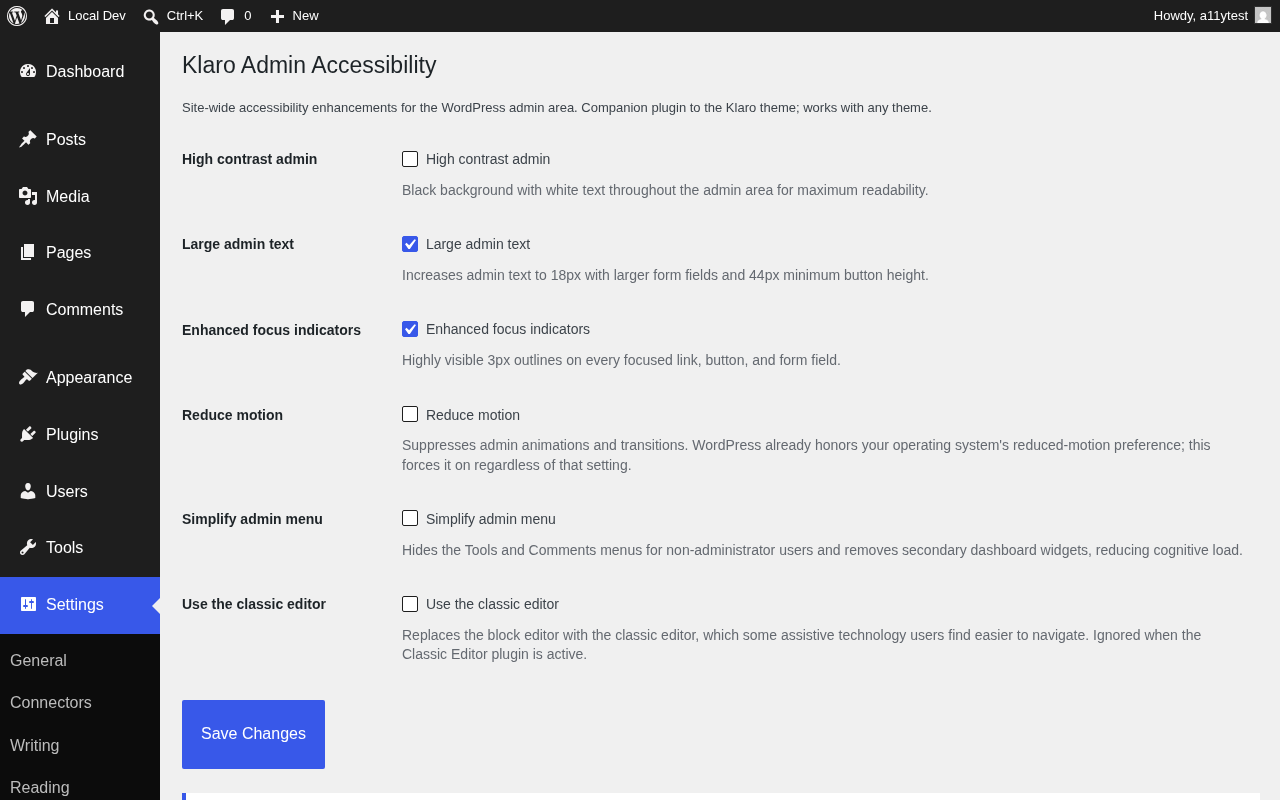
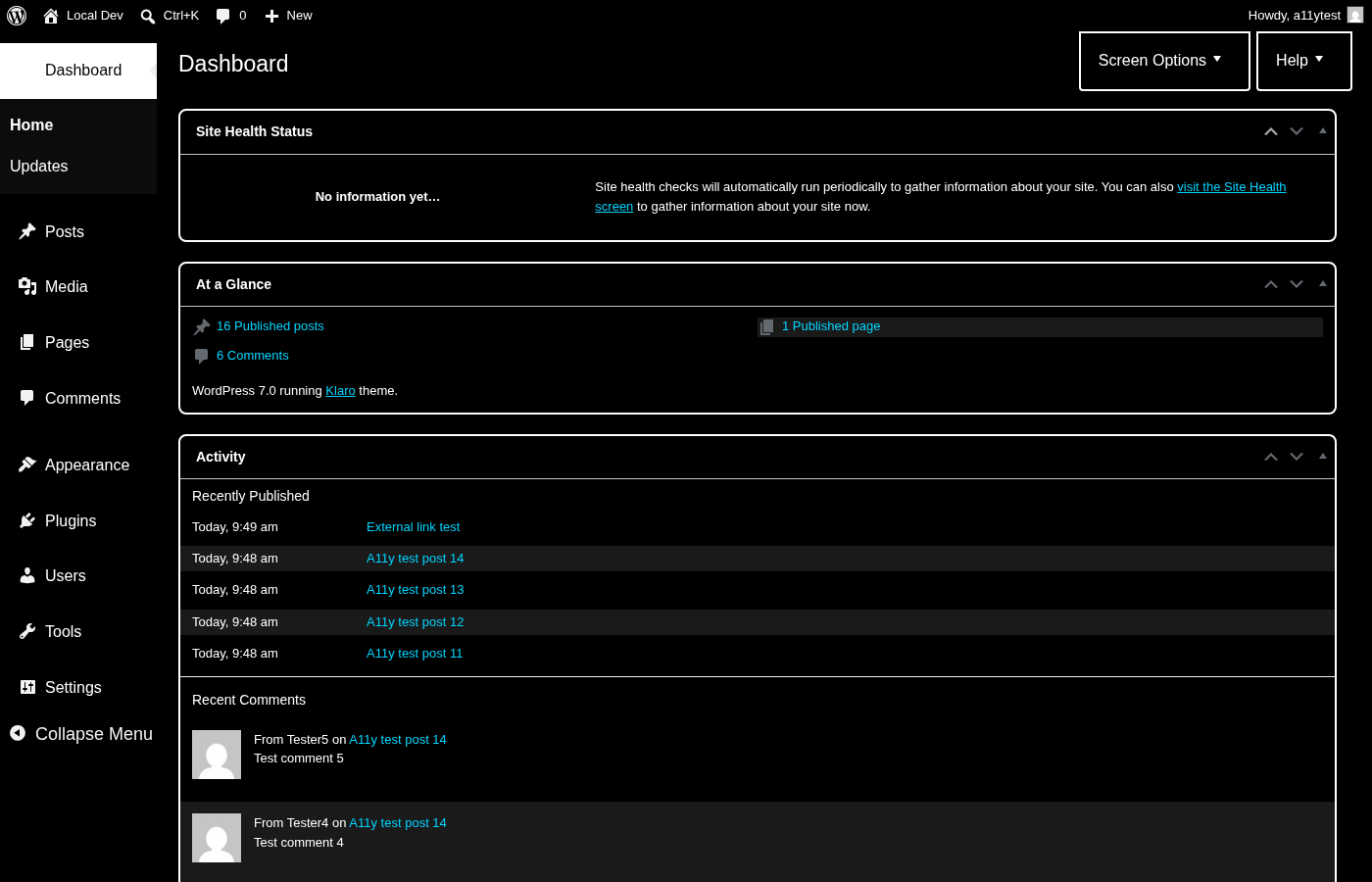
- High contrast admin – Black background with white text throughout the admin area, including the admin menu, toolbar, tables, and forms.
- Large admin text – 18px base text, larger form fields, and 44px minimum button height for easier reading and clicking.
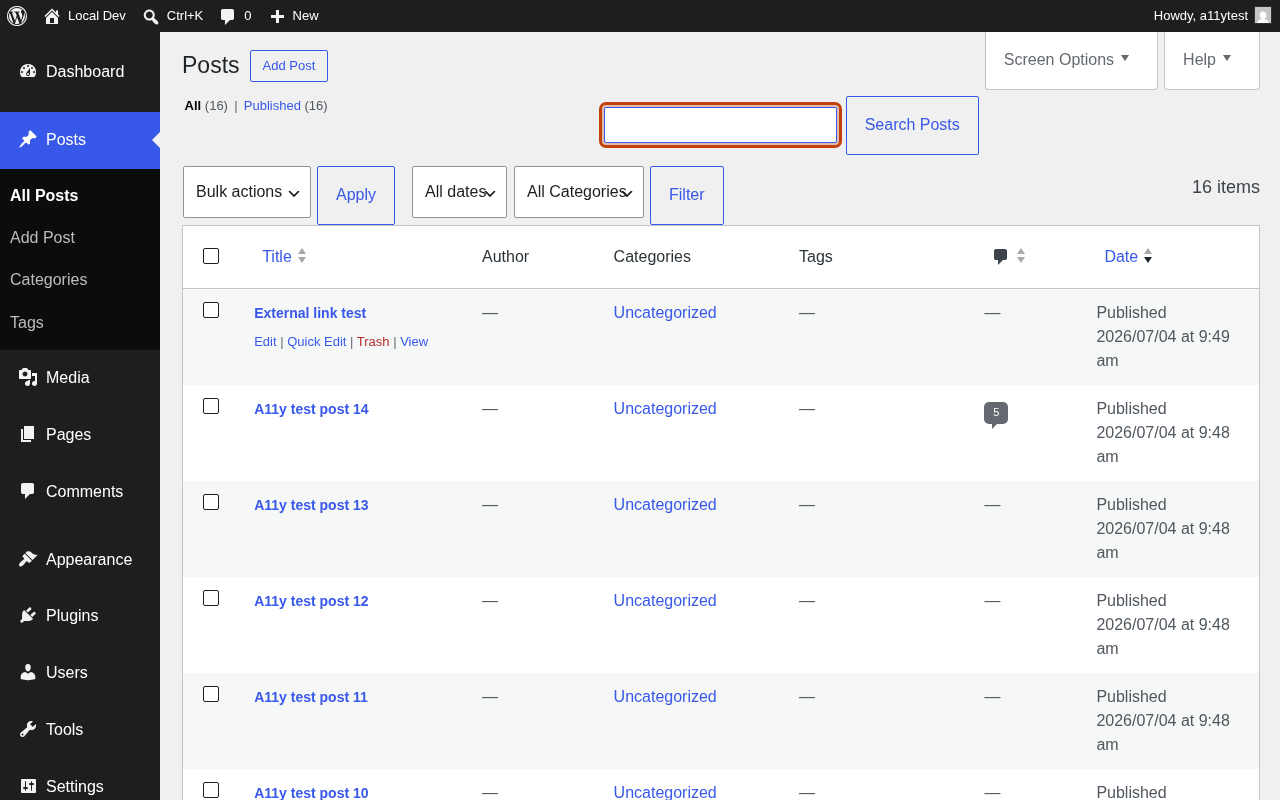
- Enhanced focus indicators – Highly visible 3px outlines on every focused link, button, and form field, meeting the 3:1 contrast requirement for UI controls.
- Reduce motion – Suppresses admin animations and transitions for users whose operating system does not expose a reduced-motion preference.
- Simplify admin menu – Hides the Tools and Comments menus for non-administrator users, removes secondary dashboard widgets, and switches the dashboard to a single column, reducing cognitive load.
- Classic editor toggle – Replaces the block editor with the classic editor, which some assistive technology users find easier to navigate. Defers to the Classic Editor plugin when that is active.
All settings are site-wide and live under Settings > Admin Accessibility.
What WordPress already provides
The WordPress admin already ships keyboard shortcuts, screen reader landmarks, a “Skip to main content” link, and honors your operating system’s reduced-motion preference. This plugin adds options on top of those built-in features instead of duplicating them.
For developers
The resolved feature flags can be filtered:
add_filter( 'klaro_aa_enabled_features', function ( $features ) {
    $features['high_contrast'] = true; // force a feature on
    return $features;
} );
Screenshots
Installation
- Upload the plugin files to
/wp-content/plugins/klaro-admin-accessibility/, or install through the WordPress plugins screen. - Activate the plugin.
- Go to Settings > Admin Accessibility to enable the features you need.
FAQ
-
Does this affect my site’s visitors?
-
No. Every feature applies to the admin area only. Front-end accessibility is the theme’s job (the Klaro theme covers it).
-
Do I need the Klaro theme?
-
No. The plugin styles the WordPress core admin and works with any theme.
-
Are the settings per-user?
-
Version 1.0.0 applies settings site-wide. Per-user preferences are planned for a future release.
-
What happens on uninstall?
-
The plugin deletes its single
klaro_aa_optionsoption. No other data is stored.
Reviews
There are no reviews for this plugin.
Contributors & Developers
“Klaro Admin Accessibility” is open source software. The following people have contributed to this plugin.
Contributors
“Klaro Admin Accessibility” has been translated into 1 locale. Thank you to the translators for their contributions.
Translate “Klaro Admin Accessibility” into your language.
Interested in development?
Browse the code, check out the SVN repository, or subscribe to the development log by RSS.
Changelog
1.1.2
- High contrast: the plugin details popup (Plugins > Add New, Updates) is readable throughout, description, tabs, sidebar and footer
1.1.1
- Large text: top-level admin menu items no longer get extra padding, so long labels such as WooCommerce stay on one line
- High contrast: admin bar badges with their own light background (Store coming soon) are black on white
- High contrast: the theme details popup under Appearance has opaque black panels and a visible close button
- High contrast: text inside any button follows the button’s colors, which fixes the white-on-white Site Health rows
1.1.0
- High contrast: the native “Skip to main content” link and the active admin-menu icon were white on white; both readable now, including the collapsed menu
- High contrast: dropdown arrows restored, and large text no longer covers the arrow
- High contrast: text inside white buttons and tabs, and text and links inside preserved inline backgrounds, keep readable colors
- High contrast: the Add Media and attachment dialogs use the same black palette, so links, inputs and focus rings sit on matching surfaces
- High contrast: notice text on admin pages rendered inside modals (plugin information) is readable
- High contrast editor: highlighted text and colored table cells stay readable in the classic editor; authored colors are respected and nothing is written to the post
- High contrast: TinyMCE styling stays inside wp-admin and no longer changes front-end editors
- Large text: settings labels, descriptions, paragraphs, row titles and box headings are enlarged, not only their containers
- Settings: each checkbox exposes its explanatory text to assistive technology
- Classic editor: the preference is decided when WordPress asks, so a theme’s klaro_aa_enabled_features filter works in both directions
- Uninstall: the option is removed from every site on multisite
1.0.1
- Large text mode: reduced oversized admin button padding (now 3px 14px), 44px minimum touch-target height preserved
- Large text mode: enlarged the classic editor status bar under the content box (word count, autosave message, last-edited date) to 16px, was stuck at core’s 12px
1.0.0
- Initial release
- High contrast admin mode
- Large admin text
- Enhanced focus indicators (enabled by default)
- Reduce motion option
- Simplified admin menu option (single-column dashboard, fewer widgets and menus)
- Classic editor toggle