

Description
Ruxo SEO is an AI-first SEO suite built specifically for WooCommerce stores with large product catalogs. If you run a shop with hundreds or thousands of products, writing a unique SEO title, meta description, focus keyword and alt text for every single one is impossible by hand. Ruxo SEO does it for you: it reads each product’s real data — name, attributes, category, and your own brand context — and uses AI to generate optimized, on-brand content in bulk. It then gets that content found fast, pushing new and updated URLs to search engines instantly via IndexNow, the Google Indexing API and Bing, and keeps your visibility measurable across both classic search engines and the new generation of AI answer engines.
Optimized for GEO, not just SEO. GEO — Generative Engine Optimization — is the practice of making your content understandable and quotable by AI answer engines like ChatGPT, Perplexity and Google’s AI Overviews, the same way SEO makes it rank in Google. As more shoppers ask an AI assistant “what’s the best X to buy?” instead of scrolling a results page, being cited by the AI becomes as important as ranking on Google. Ruxo SEO is one of the few plugins that treats GEO as a core feature: it publishes machine-readable brand and product context (llms.txt and ai-context.txt), monitors your visibility inside AI answers, and flags when your own pages compete against each other — so your store stays discoverable no matter where people search.
Built for WooCommerce, from the ground up. Unlike generic SEO plugins bolted onto WooCommerce, Ruxo SEO is designed around the ecommerce workflow: variable products, product attributes, category context, shipping and return data, and store-wide bulk operations are first-class citizens, not afterthoughts.
Flexible AI setup. On WordPress 7.0+, Ruxo SEO plugs into the native WordPress AI Client (Settings Connectors): you configure your AI provider once and every compatible plugin shares it. On WordPress 6.x, you simply enter your own OpenAI or Google Gemini API key in the plugin settings. Either way, you own the AI account — the plugin sends data directly from your site to the provider you chose. Nothing is routed through ruxoseo.com, and there is no telemetry or “home-call” of any kind.
AI content generation
The core of Ruxo SEO. Instead of a blank field for every product, you get AI-written content grounded in your actual catalog and your brand voice.
- AI Bulk Generation — generate SEO titles, meta descriptions, focus keywords, tags, and full product descriptions for hundreds of products in one run, with a live progress queue you can pause and resume.
- Brand-aware prompts — feed the AI your brand context, tone of voice and a style example, so the output sounds like your store, not a generic template.
- Image SEO — automatically generate keyword-optimized ALT text and image titles for product images (single product or bulk).
- FAQ generation — build genuine FAQ blocks derived from each product’s attributes, output with matching FAQPage schema.
- Secondary (multi) keywords — add supporting keywords per product, with AI-powered keyword suggestions.
- Choice of AI provider — OpenAI or Google Gemini; on WP 7.0+ the shared WordPress AI Client.
On-page optimization & SEO analysis
- Real-time SEO Analysis — a RankMath-style checklist with a live 0-100 score for every product (SEO title, meta description, focus keyword, long description and FAQ schema), plus an “Optimize with AI” button that fixes the failing checks for you.
- SEO Oracle — an AI task list that surfaces pages with declining performance or keywords stuck on “Page 2” of Google (positions 11-20, the Low Hanging Fruits) and turns them into concrete, prioritized recovery tasks.
- Cornerstone content — flag your most important pages so internal linking and crawl priority favor them.
- Full meta control — custom titles, meta descriptions, canonical URLs, robots directives and Open Graph tags, for posts, products and taxonomy terms.
Schema & Rich Snippets
Automatic, valid JSON-LD so Google and AI engines understand your store.
- Structured data for Product, Offer / AggregateOffer, Review, AggregateRating, Brand, FAQ, Organization, WebSite (with Sitelinks Search Box), Person, ImageObject, BreadcrumbList and LocalBusiness.
- Rich WooCommerce Offer details — price, availability, shipping time (OfferShippingDetails) and return policy (MerchantReturnPolicy) for eligible Google merchant rich results.
- Breadcrumbs — a configurable breadcrumb trail via shortcode with optional auto-display on WooCommerce products, matched by BreadcrumbList schema.
GEO — AI search optimization
Ruxo SEO’s differentiator: making your store visible inside AI answers.
- llms.txt and ai-context.txt files that describe your brand, products and key facts directly to AI crawlers and generative engines.
- GEO monitor that tracks how visible you are across ChatGPT, Perplexity and Google AI Overviews.
- AI Overview cannibalization monitor — detects keywords where several of your own pages compete against each other and proposes an AI-driven consolidation strategy.
Search Console, ranking & indexing
- Instant indexing with IndexNow — the moment you publish or update a product, Ruxo submits the URL to IndexNow-compatible engines (Bing, Yandex and others) for near-instant crawling.
- Google Indexing API & Bing Webmaster — request (re)indexing and pull traffic stats.
- Google Search Console dashboard — queries, clicks, impressions and positions, plus Low Hanging Fruits recommendations, right inside WordPress.
- Rank Tracker — track the keywords you care about with daily position history.
- Keyword Trends — interest-over-time data from Google Trends.
Technical SEO
- Sitemaps — image, video and Google News sitemaps.
- Redirect manager — 301/302/307/308 redirects with automatic slug-change detection (never lose a ranking to a renamed product).
- 404 monitor with optional AI-assisted auto-redirect to the best-matching page.
- Internal link suggestions (Link Whisperer) — find internal linking opportunities and detect orphan pages with no incoming links.
- Core Web Vitals from real-user CrUX data, plus scheduled PageSpeed monitoring.
- Indexing controls — granular noindex for author, date, empty-term, paginated and search archives, to stop thin and duplicate content from diluting your site.
Store & Local SEO
- Google Merchant Center sync, with an AI Quick Fix for feed errors.
- Local SEO — LocalBusiness schema plus optional Google Business Profile sync (import your name, address, opening hours and aggregate review rating straight from Google).
Analytics & tracking
- GA4 dashboard and GA4 Enhanced Ecommerce, Google Ads conversion tracking, Facebook (Meta) Pixel, Google Tag Manager, dataLayer events and lead-conversion tracking — all toggled on only when you enter the matching ID.
Workflow, migration & data
- CSV import/export of your SEO meta for bulk editing outside WordPress.
- Custom webhooks (Zapier, Make and similar) fired on the events you choose.
- Migration — import your existing SEO data (titles, descriptions, focus keywords, canonicals, robots) from Yoast SEO and RankMath, even if those plugins are no longer active, so you switch without losing rankings.
Getting started
- Install & activate Ruxo SEO (WooCommerce must be active).
- Connect your AI — on WP 7.0+ pick your provider in Settings Connectors, or on WP 6.x paste your OpenAI / Gemini API key. Optionally connect Google (Search Console, Merchant Center, Business Profile).
- Bulk generate — open AI Bulk Generation, select your products, and let Ruxo write titles, descriptions, keywords and alt text across your whole catalog.
Ruxo SEO is built for WooCommerce and requires it to be active.
External Services
Ruxo SEO connects to several third-party services to provide its features. In every case, you supply your own account / API key, and data is sent directly from your site to the service provider — nothing is routed through ruxoseo.com, and the plugin has no “home-call” or telemetry mechanism. Each integration is optional and only becomes active once you enter the corresponding key or connect the corresponding account.
Below is the full list of external services, what they are used for, what data is sent, and when.
OpenAI (ChatGPT API)
Used for AI generation of SEO titles, meta descriptions, focus keywords, tags, and product descriptions, but only if you select OpenAI as your AI provider and enter an OpenAI API key. When you trigger a generation, the plugin sends the relevant product/post content (e.g. title, description, attributes) and your configured brand context to the OpenAI API. Data is sent only when you run a generation action.
Endpoint: https://api.openai.com
Terms: https://openai.com/policies/terms-of-use — Privacy: https://openai.com/policies/privacy-policy
Google Gemini (Generative Language API)
Alternative AI provider for the same generation features, active only if you select Gemini and enter a Google AI (Gemini) API key. The same content and brand context described above is sent to the Gemini API when you run a generation action.
Endpoint: https://generativelanguage.googleapis.com
Terms: https://ai.google.dev/gemini-api/terms — Privacy: https://policies.google.com/privacy
Google APIs (OAuth, Search Console, Indexing, Analytics, Merchant Center, PageSpeed Insights)
Used only if you connect your Google account (OAuth) and/or enable the relevant integration:
* Google Search Console — retrieves search performance data (queries, clicks, impressions, positions) for your verified property.
* Google Indexing API — submits your post/product URLs to request (re)indexing.
* Google Analytics (Data API / GA4) — retrieves aggregated analytics for your property to display in the dashboard.
* Google Merchant Center (Content API for Shopping) — syncs your product feed and retrieves feed errors.
* Google PageSpeed Insights — sends individual page URLs to obtain performance scores and Core Web Vitals (CrUX) data.
* Google Business Profile — if you connect it, retrieves your business locations, details (name, address, phone, hours), and aggregate review rating to sync your Local SEO fields and LocalBusiness schema. Data is exchanged only when you use the Local SEO import/refresh actions.
Data is sent only when you connect the account and use the specific feature, or when a scheduled audit you enabled runs.
Endpoints: https://accounts.google.com, https://oauth2.googleapis.com, https://www.googleapis.com, https://indexing.googleapis.com, https://analyticsdata.googleapis.com, https://shoppingcontent.googleapis.com, https://mybusinessaccountmanagement.googleapis.com, https://mybusinessbusinessinformation.googleapis.com, https://mybusiness.googleapis.com
Terms: https://policies.google.com/terms — Privacy: https://policies.google.com/privacy — API Services User Data Policy: https://developers.google.com/terms/api-services-user-data-policy
Google Trends
Used by the keyword trends feature to display interest-over-time data. The plugin queries Google’s public Trends endpoints with the keyword you enter. Data (the keyword) is sent only when you use the trends feature.
Endpoint: https://trends.google.com
Terms: https://policies.google.com/terms — Privacy: https://policies.google.com/privacy
Bing Webmaster Tools
Used to retrieve page/traffic statistics from Bing, active only if you enter a Bing Webmaster API key. Your site/page URLs are sent to the Bing Webmaster API when you use this feature.
Endpoint: https://ssl.bing.com/webmaster
Terms: https://www.bing.com/webmasters/about — Privacy: https://privacy.microsoft.com/privacystatement
IndexNow
Used to notify participating search engines when your content changes, active only if you enable IndexNow. The plugin submits the changed URLs and your generated IndexNow key. This happens when content is published/updated (if enabled) or when you trigger a manual submission.
Endpoint: https://api.indexnow.org
More info / terms: https://www.indexnow.org
Custom Webhooks (e.g. Zapier, Make)
Used only if you enter a webhook URL. When a trigger you configured fires, the plugin sends the associated event payload to the exact URL you provided. No webhook data is sent unless you configure a URL.
Endpoint: the URL you supply. Review the terms/privacy policy of whichever service you point the webhook to.
Front-end tracking scripts (loaded in your visitors’ browsers)
If you enable them, the plugin outputs standard tracking snippets that load third-party scripts directly in your visitors’ browsers. These send visitor/interaction data to the respective providers, subject to your own cookie-consent obligations. They are disabled until you enter the corresponding ID:
* Google Tag Manager / Google Analytics 4 — https://policies.google.com/terms , https://policies.google.com/privacy
* Google Ads (conversion tracking) — https://policies.google.com/terms , https://policies.google.com/privacy
* Facebook (Meta) Pixel — https://www.facebook.com/legal/terms , https://www.facebook.com/privacy/policy
Note: embedded media in sitemaps/schema may reference YouTube and Vimeo thumbnail/oEmbed URLs (https://www.youtube.com, https://img.youtube.com, https://player.vimeo.com). These are only contacted in the context of media you have added to your own content.
Third-Party Libraries
This plugin bundles the following third-party open-source library:
- Chart.js v4.5.1 — used to render the charts in the admin dashboards. Licensed under the MIT License. Source: https://github.com/chartjs/Chart.js — Copyright (c) Chart.js Contributors. The full, unminified source and the license text are included in
assets/vendor/chartjs/.
Screenshots
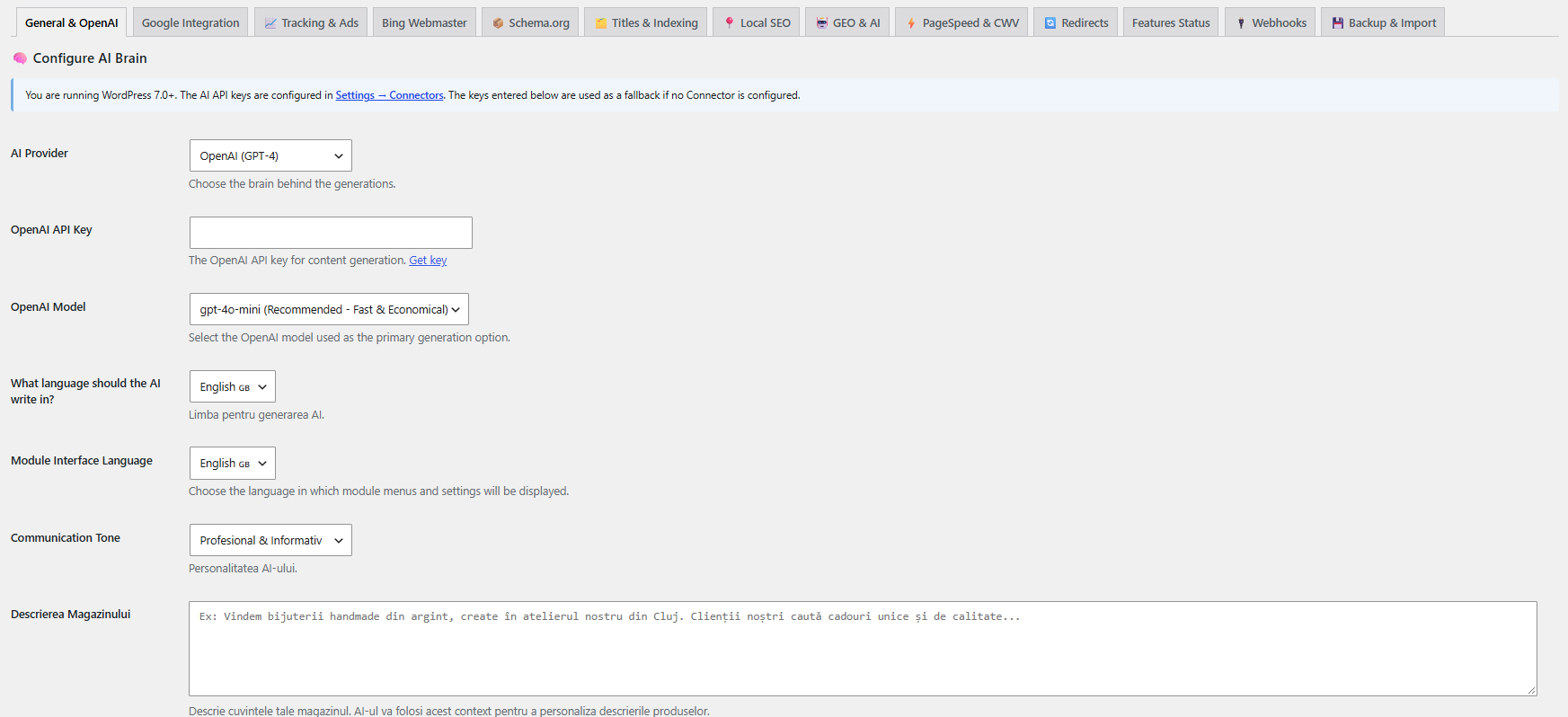
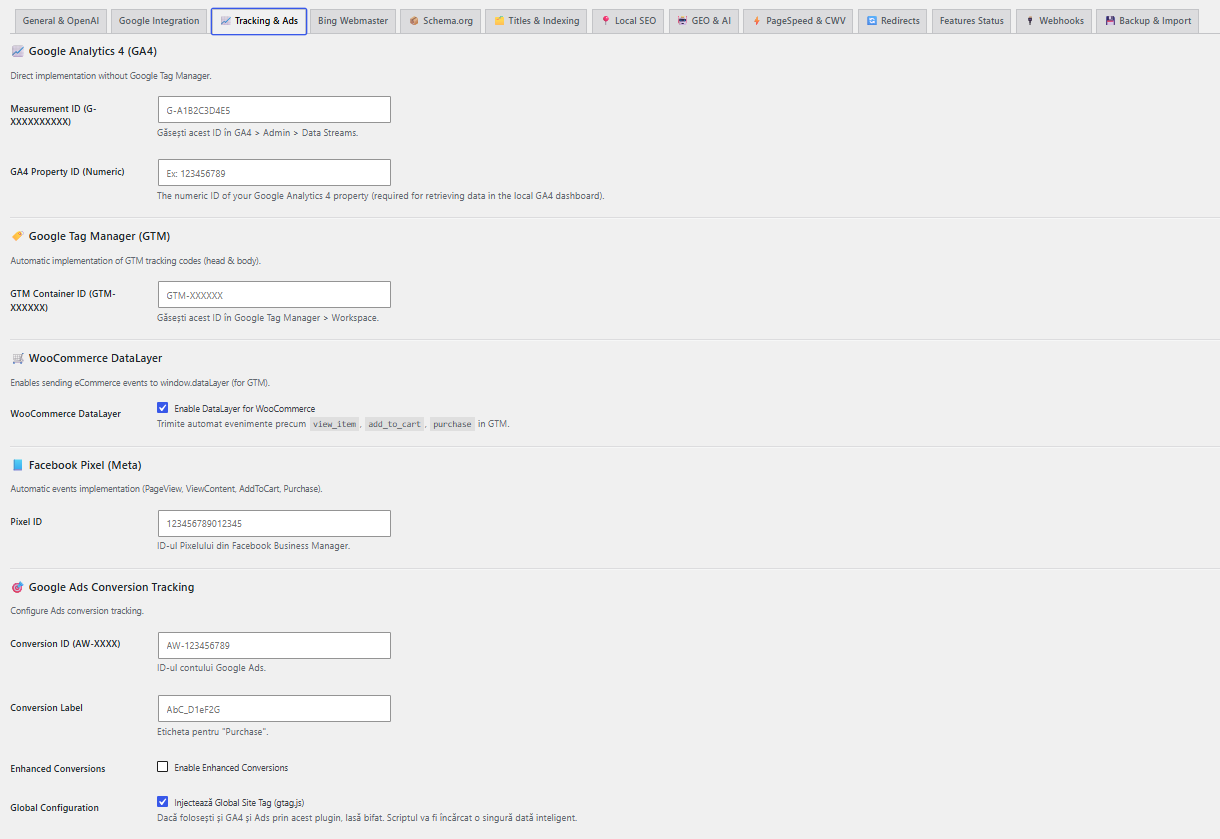
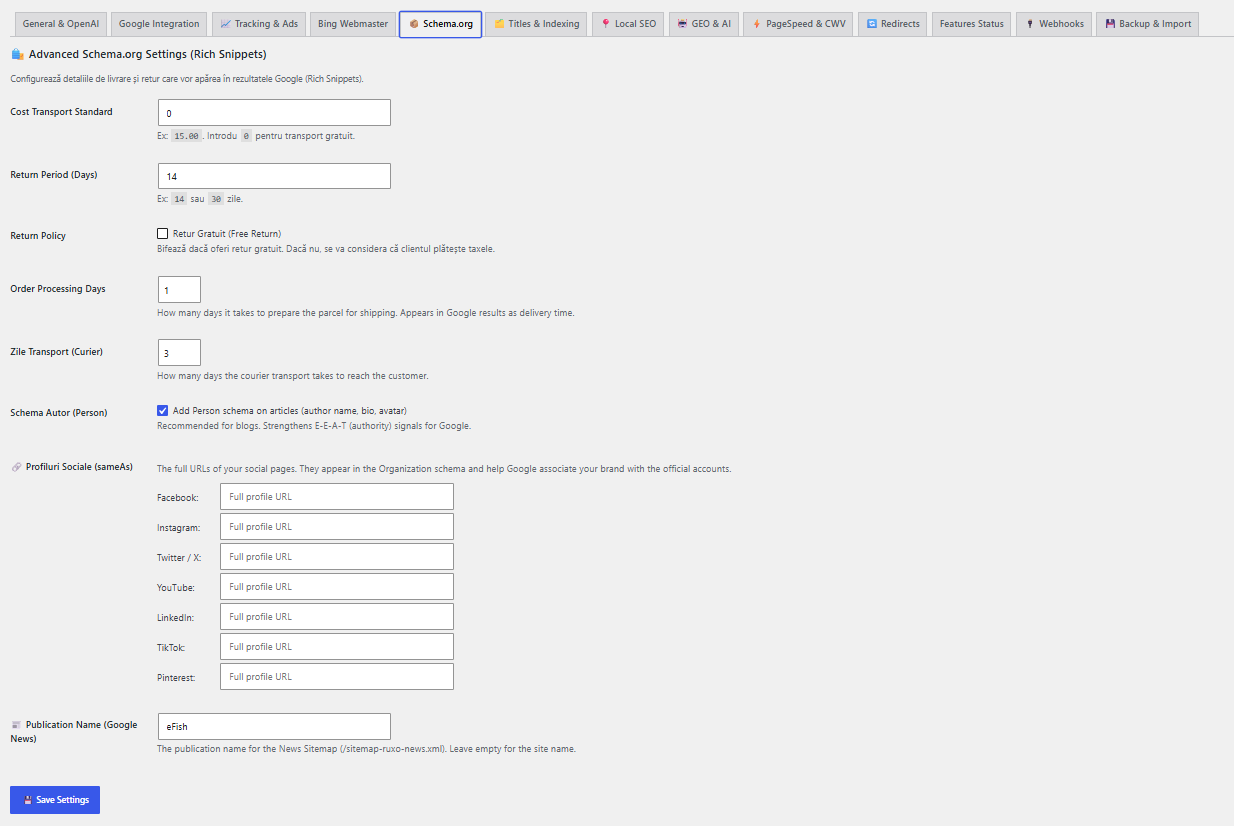
Installation
- Upload the
ruxoseofolder to/wp-content/plugins/ - Activate the plugin through the Plugins menu in WordPress
- Ensure WooCommerce is installed and activated
- Go to Ruxo SEO Settings AI Settings and enter your OpenAI or Google Gemini API key
- (WordPress 7.0+) Alternatively, go to Settings Connectors to configure your AI provider once for all compatible plugins
- Go to Ruxo SEO Settings Google and connect Google Search Console via OAuth
- Go to Ruxo SEO Bulk Generate to generate SEO metadata for your product catalog
FAQ
-
Do I need an OpenAI or Gemini API key?
-
On WordPress 6.x: yes. Get one from platform.openai.com or aistudio.google.com. Ruxo SEO calls the AI provider directly — no data passes through ruxoseo.com servers.
On WordPress 7.0+: configure your AI provider once in Settings Connectors and Ruxo SEO uses it automatically without a separate key.
-
Does the plugin work without WooCommerce?
-
No. Ruxo SEO requires WooCommerce. The bulk generation, Google Merchant Center sync, product schema, GA4 ecommerce events, and analytics features are built specifically for WooCommerce.
-
Will it conflict with Yoast SEO or RankMath?
-
Running two SEO plugins that output meta tags and schema will cause duplicates. Recommended workflow: install Ruxo SEO, run the migration to copy your data from Yoast or RankMath, verify the migrated data, then deactivate the previous plugin.
-
Is my data sent to any external server?
-
AI generation features send product data to the AI provider you configure (OpenAI or Google Gemini). Google integrations communicate directly with Google APIs. No data is sent to ruxoseo.com. The plugin has no home-call mechanism.
-
What happens to my data if I uninstall the plugin?
-
All plugin data is removed: the three custom database tables (ruxoseo_logs, ruxoseo_ranks, ruxoseo_redirects), all ruxoseo_* options, all ruxoseo* post meta, all ruxoseo* term meta, the IndexNow key file, and all scheduled cron jobs. On Multisite, cleanup runs across all subsites. WooCommerce product data and WordPress content are not affected.
-
Is it compatible with WordPress 7.0?
-
Yes, fully tested on WordPress 7.0 with native integration for the WordPress AI Client (Settings Connectors), and automatic fallback to own API key configuration on older versions.
-
Can I export settings and import them on another site?
-
Yes. Ruxo SEO Settings Export Settings downloads a JSON file with all configuration. API keys and OAuth tokens are excluded for security. Import the file on any other site using Import Settings.
-
How does AI content generation reflect my brand voice?
-
Configure your brand in Ruxo SEO Settings AI Brand Context: brand name, description, tone of voice, key claims you want reflected, and what your brand is not. Every AI generation request includes this context so all generated content is consistent with your brand positioning.
Reviews
There are no reviews for this plugin.
Contributors & Developers
“Ruxo SEO” is open source software. The following people have contributed to this plugin.
Contributors
Translate “Ruxo SEO” into your language.
Interested in development?
Browse the code, check out the SVN repository, or subscribe to the development log by RSS.
Changelog
16.10.2
- Update: Rewrote the plugin description with a new short description and a full, detailed feature overview — GEO / AI-search optimization, IndexNow instant indexing, image ALT/title SEO, rank tracker, internal linking, cornerstone content, AI Overview monitor, CSV import/export, richer schema, and a Getting Started guide.
- Add: Screenshots section (General & AI, Tracking & Ads, Schema.org) and plugin icon/banner assets.
16.10.1
- Fix: Deferred cron event scheduling and removed an early-translated cron schedule label so the plugin no longer triggers “_load_textdomain_just_in_time” notices on WordPress 6.7+.
- Fix: Admin styles and scripts now bail early on non-plugin screens, and all admin CSS selectors are scoped under each page’s own wrapper so they can never restyle the WordPress dashboard interface.
- Security: The rate limiter now uses atomic object-cache counters (with a transient fallback) so concurrent requests cannot bypass the configured limits.
16.10.0
- New: Google Business Profile integration for Local SEO. Connect your Google account to import your verified business details (name, address, phone, opening hours) into your Local SEO fields and LocalBusiness schema, and pull your aggregate review rating. Reuses the existing Google OAuth connection (adds the business.manage scope).
16.9.0
- New: Configurable breadcrumbs with a
[ruxoseo_breadcrumbs]shortcode, optional auto-display on WooCommerce product pages, and matching BreadcrumbList schema. Customisable home label and separator. - New: Granular archive indexing controls (Titles & Indexing tab) — add noindex to author archives, date archives, empty tag/term archives, paginated pages, and internal search results. Author noindex is now a setting instead of being forced on.
16.6.1
- Compliance: Fixed Plugin Check errors — output escaping, translators comments, wp_delete_file, input sanitization, and readme length limits for WordPress.org submission.
16.6.0
- Feature: Dashboard To-Do Today widget — auto-generated SEO tasks from real data (missing meta, page 2 keywords, 404s, zombie products) with direct action links.
- Feature: Dashboard activity timeline showing recent SEO events.
- Feature: Period filter (7/30/90 days) in the dashboard header.
- Feature: Drag-and-drop dashboard cards with per-user saved order.
- Feature: Export dashboard as PDF report.
16.5.2
- Fix: Resolved “Undefined variable \$ga4_nonce” warning on the Dashboard page when the GA4 AI Oracle section was conditionally rendered.
16.5.1
- UI: Settings panel for the new schema options — handling/transit days, author schema toggle, social profiles (sameAs), and News publication name.
- UI: Core Web Vitals (CrUX) panel in the SEO Analysis tab showing real-user LCP, INP, CLS, and FCP.
16.5.0
- Feature: AI Optimize button in the SEO Analysis tab — takes failed checks and rewrites title, meta, and suggests content improvements.
- Feature: AggregateOffer schema for variable products (price range), free-return option and delivery time in shipping schema.
- Feature: Advanced schema — Organization sameAs, WebSite SearchAction (sitelinks searchbox), Person schema for authors.
- Feature: Real-user Core Web Vitals (CrUX field data) from Chrome UX Report.
- Feature: News Sitemap (/sitemap-ruxo-news.xml) for Google News with featured images for Discover.
- Feature: Google Trends keyword interest check in the meta box.
16.4.0
- Feature: Real-time SEO Analysis checklist in the product/post meta box (RankMath-style), with a live 0-100 score and grouped checks (Basic SEO, Additional, Title Readability, Content Readability).
- Feature: Checks keyword in title/meta/URL/content/subheadings, keyword density, content length, images with alt, internal & external links, title numbers and power words, and more.
- Improvement: AI generation now follows the SEO checklist rules to produce content that scores well out of the box.
16.3.0
- Improvement: Complete English translation of the plugin interface. Over 530 additional strings wrapped for translation and translated, bringing coverage to ~100%.
- Fix: Many hardcoded Romanian texts across Settings, Dashboard, and all admin pages are now translatable.
16.2.9
- Feature: Custom AI Instructions field in Settings — write your own rules in plain language that the AI follows on every product generation.
- Improvement: Product description prompt now injects your custom instructions with high priority.
- Improvement: FAQ generation now uses the full product description and specifications for product-specific questions instead of generic ones.
16.2.8
- Feature: Noindex/Nofollow controls in the SEO meta box for posts, pages and products, plus advanced robots directives (noarchive, nosnippet, noimageindex).
16.2.7
- Fix: Bulk AI Generator and Instant Indexing pages now load their scripts reliably (moved from inline to enqueued external files with cache-busting).
- Audit: Verified all 20 AJAX actions called from JS have registered backend handlers — no dead buttons.
16.2.6
- Fix: Tab switching in Settings, About and product/post Meta Box now works reliably.
- Fix: Admin JS files use filemtime-based cache-busting to prevent browsers and caching plugins from serving stale scripts.
- Enhancement: Added event-delegation fallback so tabs switch even if the inline handler does not bind.
- Change: Text domain standardized to “ruxoseo” to match the plugin slug.
- Cleanup: Removed development test file from the distributed package.
16.2.0
- Feature: WordPress 7.0 native AI Client support (Settings Connectors) with automatic fallback to own API key on WordPress 6.x
- Feature: Video Sitemap for WooCommerce products with video attachments
- Feature: Webhook Manager — outgoing POST webhooks to Zapier, Make, or any endpoint on SEO events, with SSRF protection
- Feature: Settings Export/Import — full configuration portability between environments; API keys and OAuth tokens excluded from exports
- Feature: Revision history for AI-generated fields with one-click restore from product edit screen
- Security: Webhook SSRF protection — validates URL scheme, resolves DNS, blocks private IP ranges and link-local addresses including AWS/GCP metadata endpoints
- Security: Settings import sanitizes all values with per-key sanitizer map; sensitive credential fields blocked from import
- Security: IDOR authorization check added to revision restore AJAX endpoint
- Security: Prompt injection sanitization applied to Google Merchant Center AI Fix inputs
- Fix: Admin JavaScript moved from inline script tags to properly enqueued external files
16.1.0
- Security: AES-256-CBC encryption for all stored API keys with random IV per encryption
- Security: Centralized nonce verification and capability check on all 25 AJAX endpoints
- Security: IDOR guard on all product-level operations
- Security: Rate limiter on AI generation endpoints
- Security: Full uninstall.php with Multisite support — removes all tables, options, meta, files, and cron jobs
- Feature: Requires Plugins header declaration for WooCommerce dependency
- Cleanup: Internal security documentation removed from distributed package
- Cleanup: Legacy category meta box duplicate removed
6.2.0
- Security: Output escaping applied consistently throughout all admin pages
- Security: WordPress coding standards applied to all input handling
- Fix: Nonce verification strengthened in all AJAX handlers
- Fix: Google OAuth callback now requires manage_options capability
6.1.0
- Feature: Main dashboard with WooCommerce revenue, orders, conversion rate, and SEO score widgets
- Feature: GSC data integrated into dashboard with low-hanging fruit and zombie content detection
- Feature: Google Merchant Center feed filtering by category and product status
- Feature: Rank Tracker with daily keyword position tracking and historical charts