

Description
Easy Testimonial Slider and Form lets you display beautiful responsive testimonials on any page or post — using the Gutenberg block editor or classic shortcode. Visitors can submit their own testimonials through a built-in form, with captcha protection and admin moderation.
✅ Key Features (Free)
- Gutenberg block — add the Testimonial Slider block directly from the block inserter
- Testimonial submission form — let visitors submit testimonials from the frontend
- Captcha protection — protect your form from spam
- Photo upload — visitors can upload their photo with their testimonial
- Gravatar support — pull photos automatically from Gravatar
- Admin moderation — approve or reject submissions before they go live
- Auto-slide — automatically rotate through testimonials
- Responsive — looks great on mobile, tablet and desktop
- Shortcodes —
[print_best_testimonial_slider]and[print_best_testimonial_form] - Customisable labels — change every field label to any language
- Email notification — get notified when a new testimonial is submitted
🚀 Pro Features
Upgrade to Easy Testimonial Slider Pro to unlock:
- Unlimited sliders — free version supports 1 slider
- 5 beautiful slider styles — choose the perfect look for your brand
- Testimonial Grid layout — display testimonials as a responsive grid with pagination. Use the
[testimonial_grid]shortcode or the dedicated Gutenberg block. Choose 1–4 columns, set card height and excerpt length - Star ratings — let visitors rate with 1–5 stars
- Custom arrow and quote colors — match your brand exactly
- Custom font sizes and colors — full control over text appearance
- Fade transition — smooth fade instead of slide
- Random order — show testimonials in random order
- Author link — link author name to their website
- Auto-approve — publish submissions instantly without review
- Bulk approve/reject — manage many submissions at once
- Multiple forms — different form settings per slider
- Schema markup — Google Rich Snippets for star ratings in search results
- CSV Import/Export — backup and restore all testimonials as a CSV file
- Priority support
How to Use
With Gutenberg (recommended):
- Edit any page or post
- Click the + block inserter
- Search for “Testimonial Slider” or “Testimonial Form”
- Add the block — your slider or form appears instantly
With Shortcode:
Add [print_best_testimonial_slider] anywhere to show the slider.
Add [print_best_testimonial_form] anywhere to show the submission form.
Live Demo
Video Tutorial
Screenshots

Testimonial slider block in the Gutenberg block editor 
Testimonial Form Block sidebar settings — configure the form 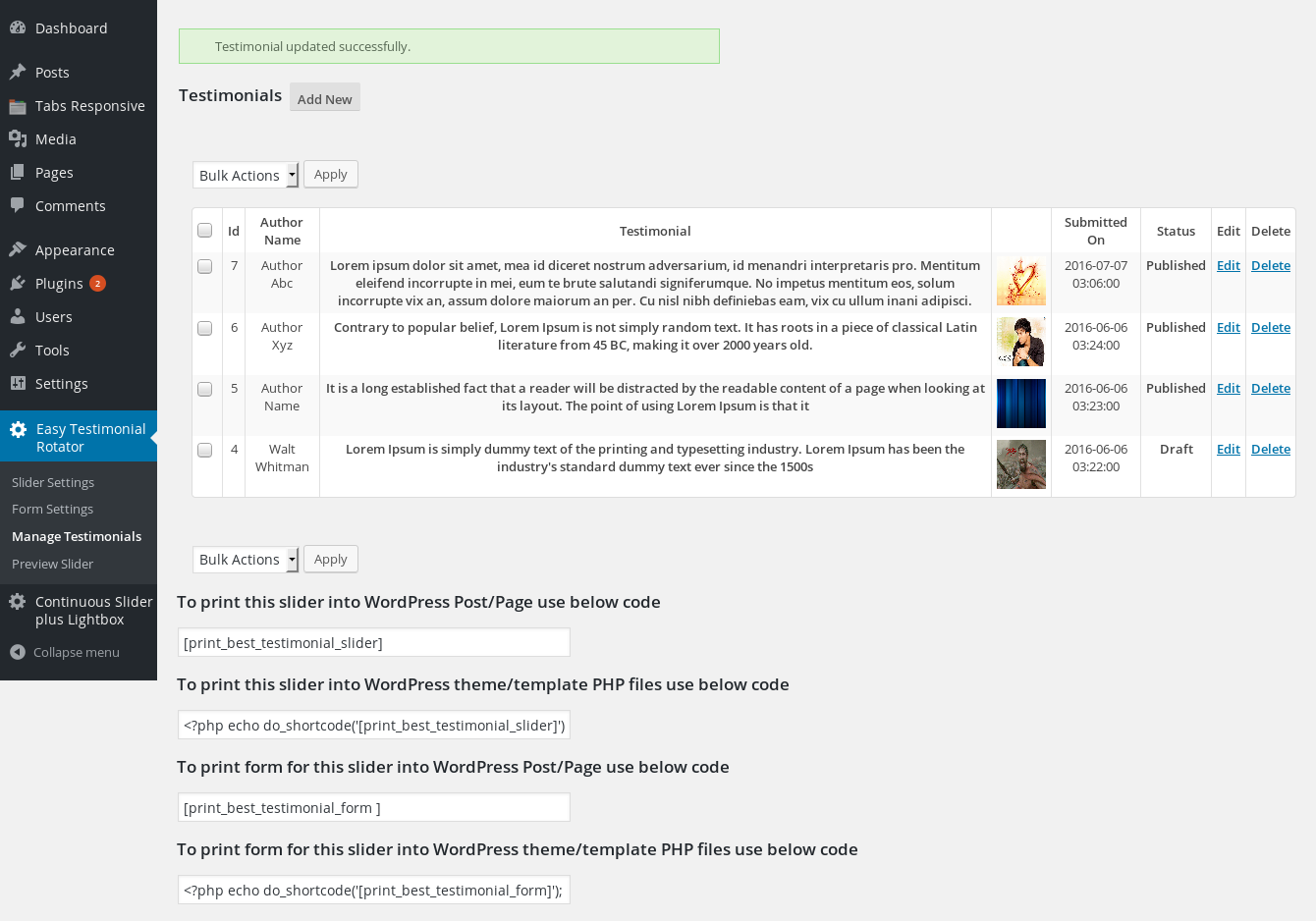
Manage Testimonials 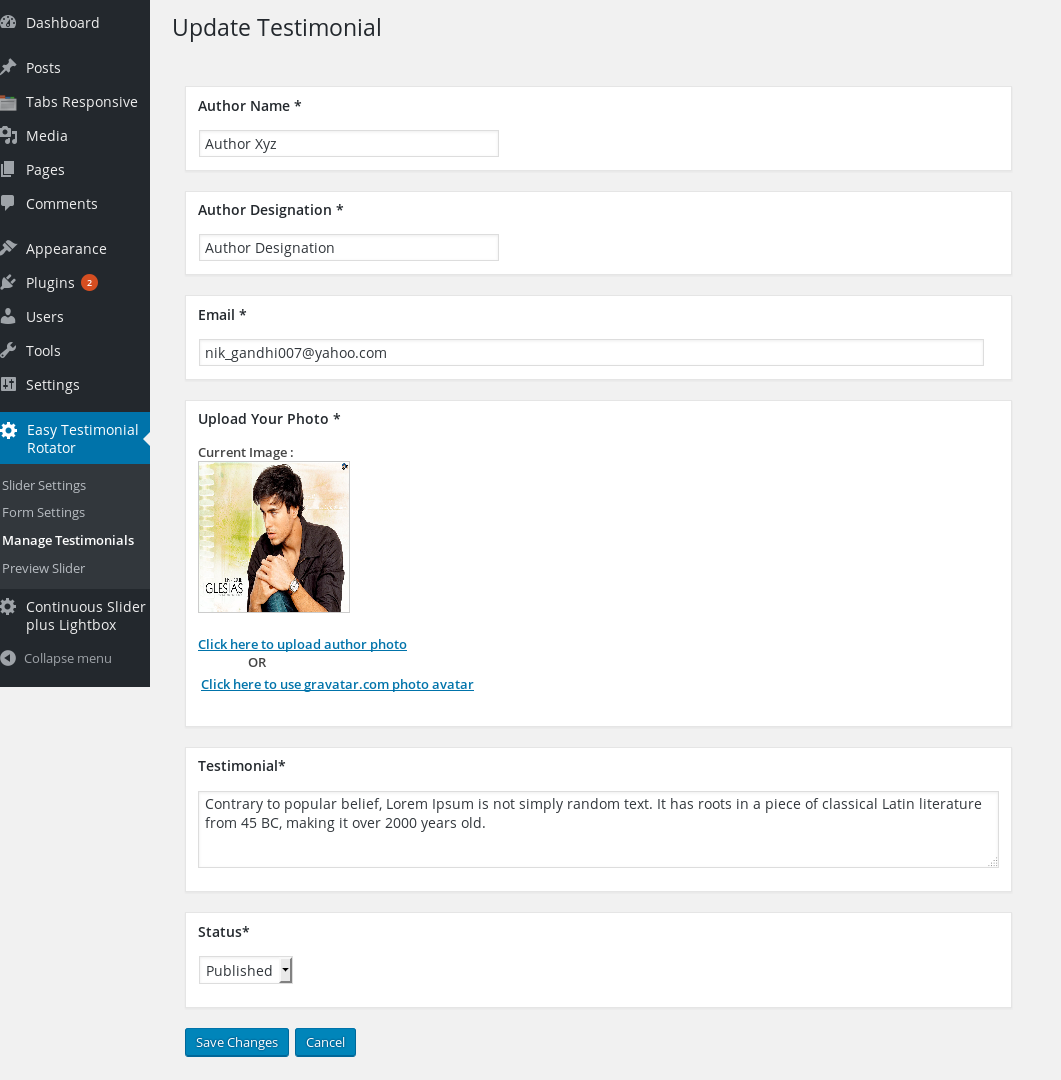
Add/Edit testimonial 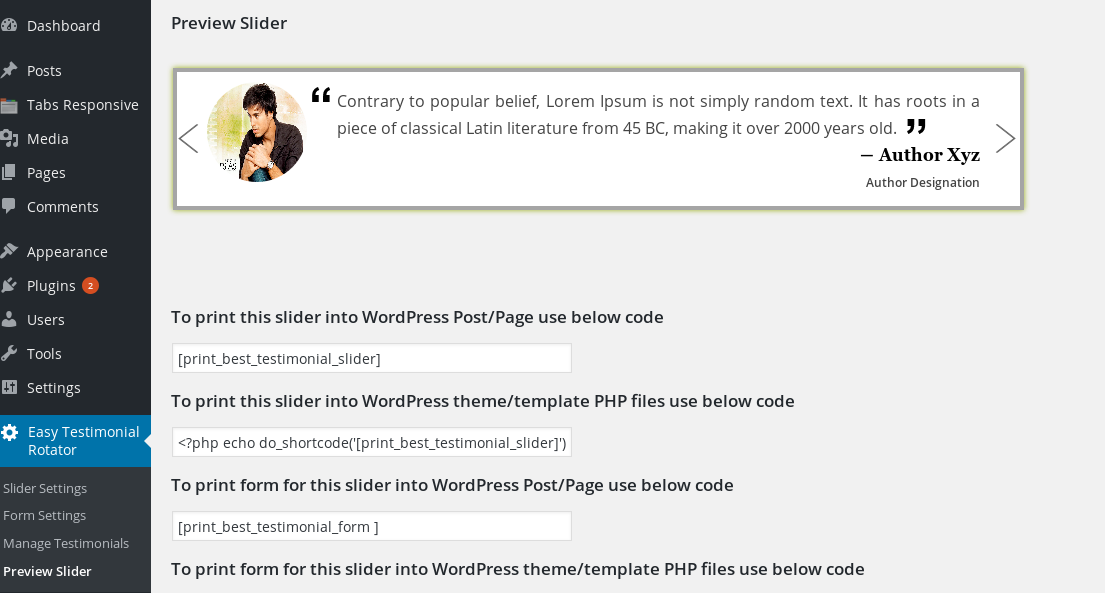
Preview slider 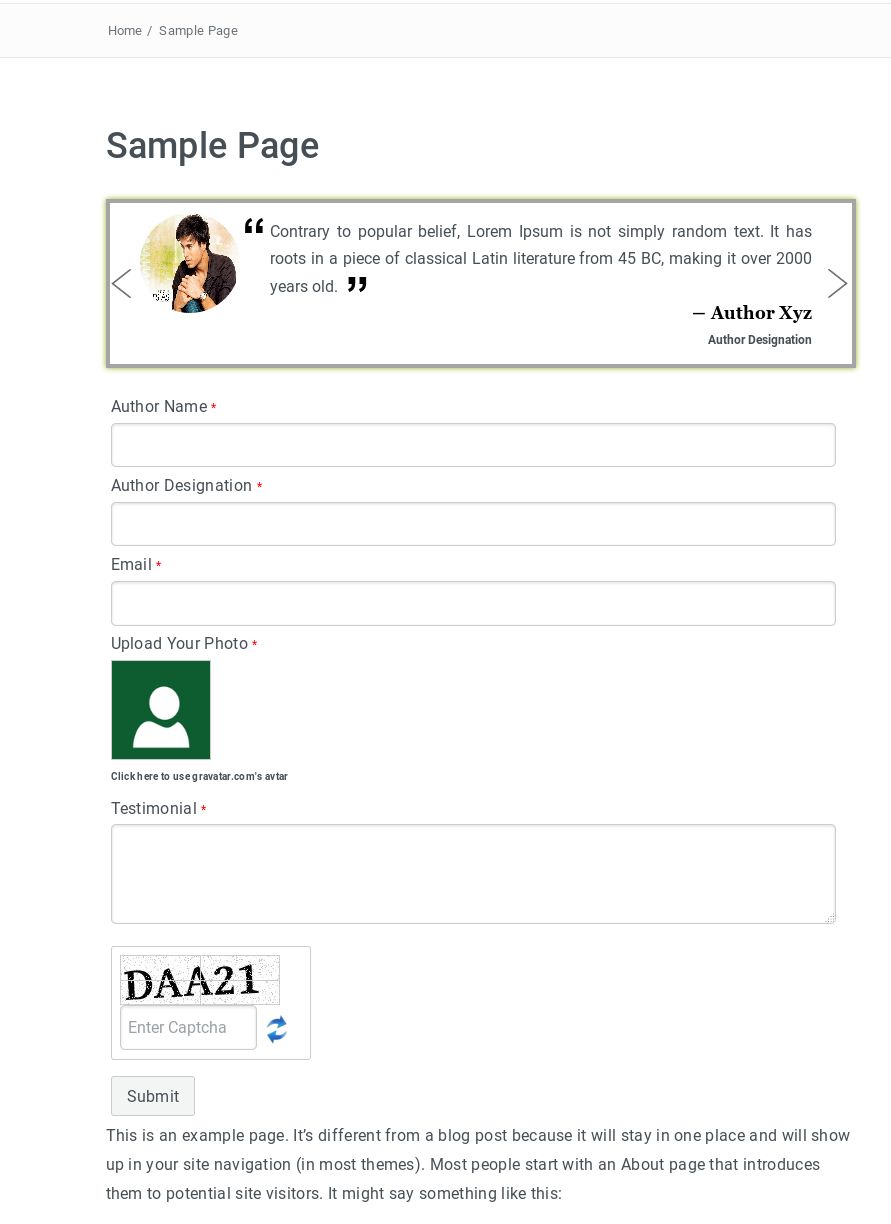
Front-end testimonial slider and form 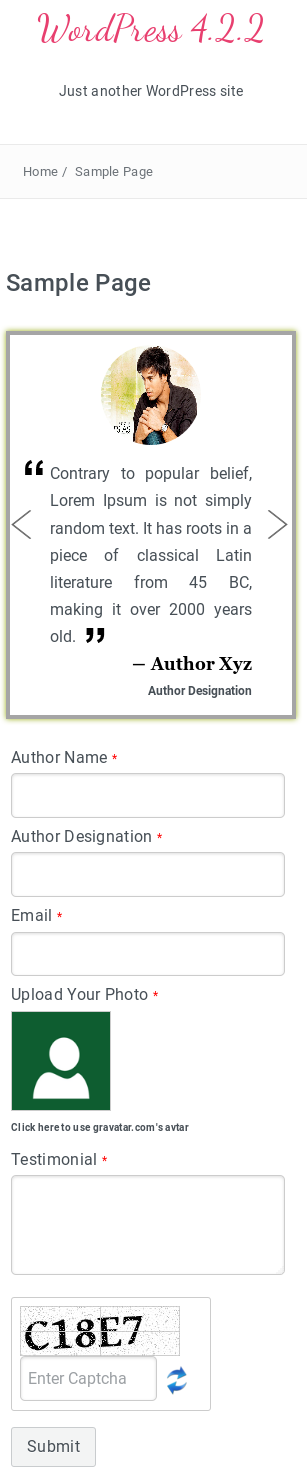
Responsive Front-end testimonial slider and form 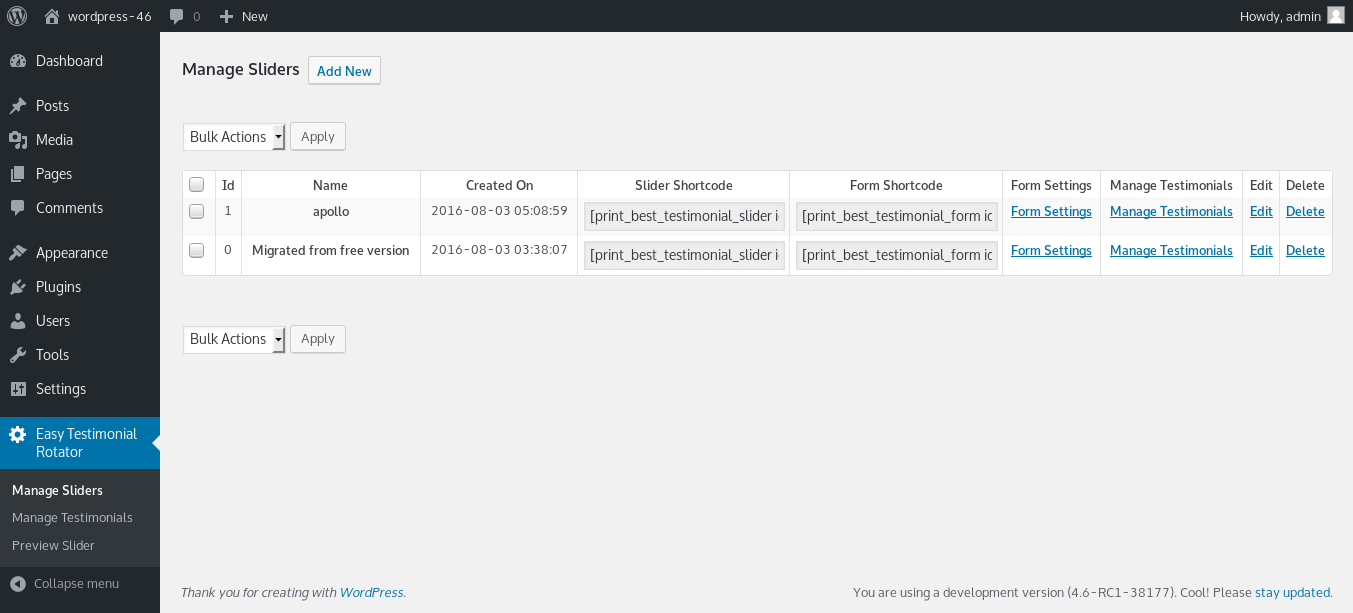
Pro Version Manage Sliders Create Multiple Sliders and Forms 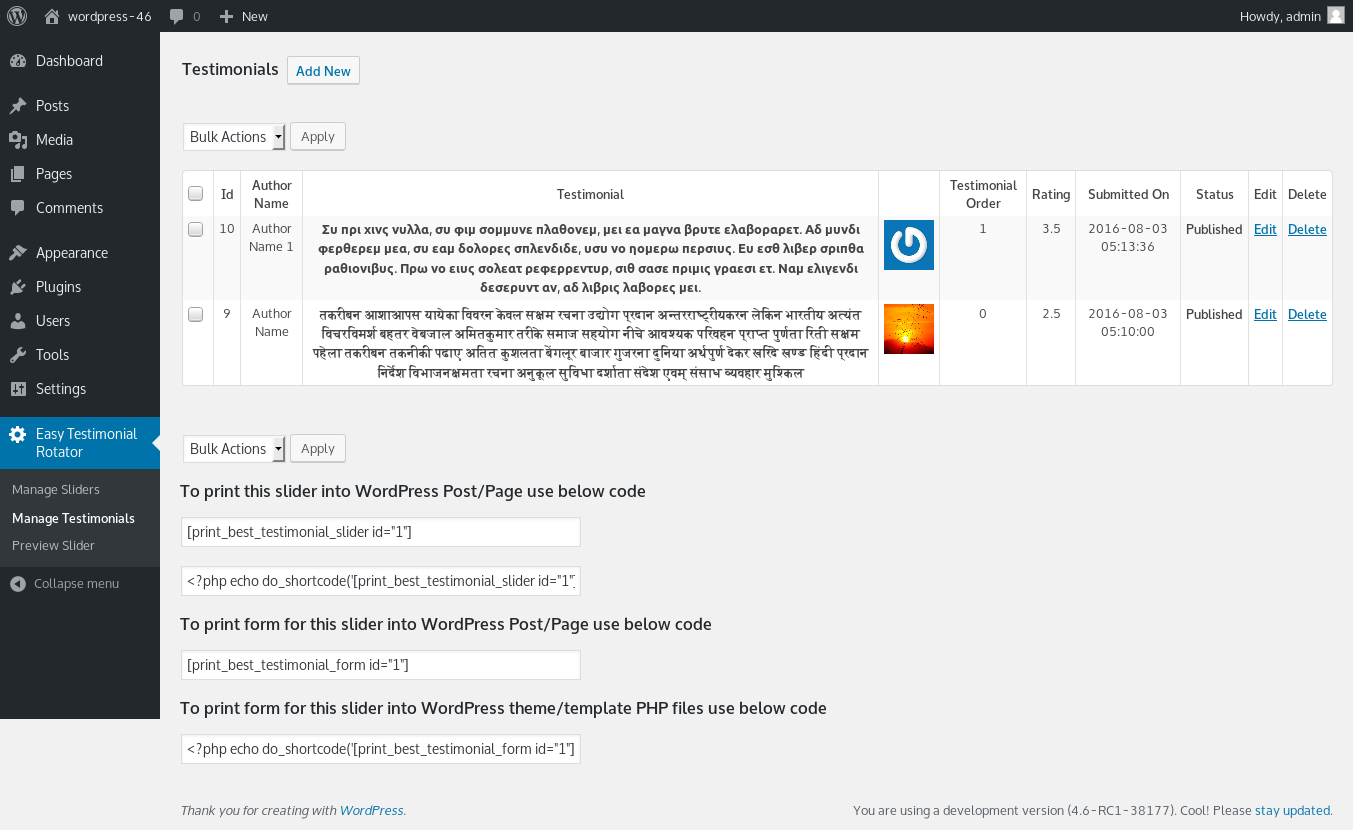
Pro Version Manage Testimonials provides testimonial order and testimonial ratings 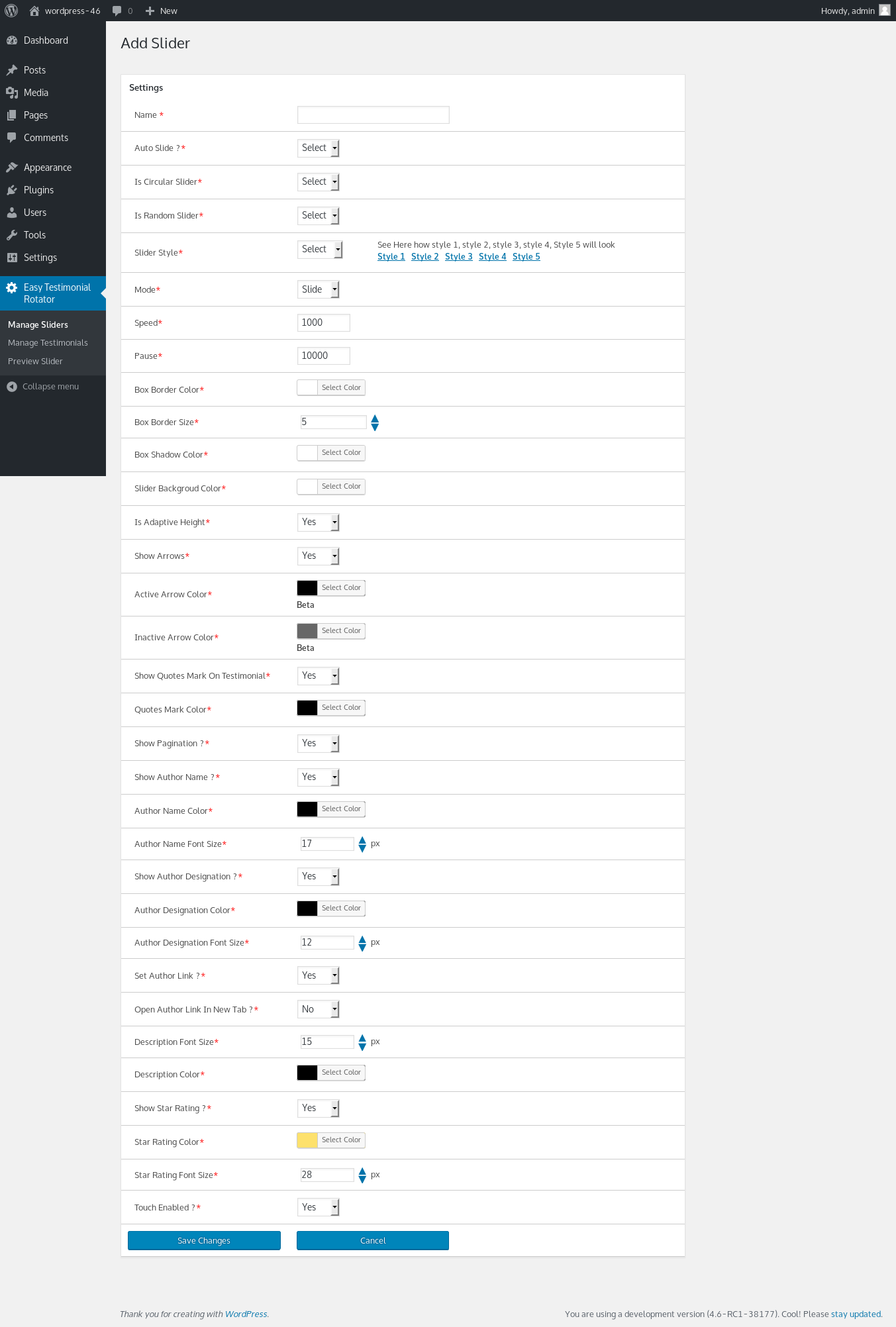
Pro Version Add New Slider.Provides many settings like arrow color,font size,font color and more 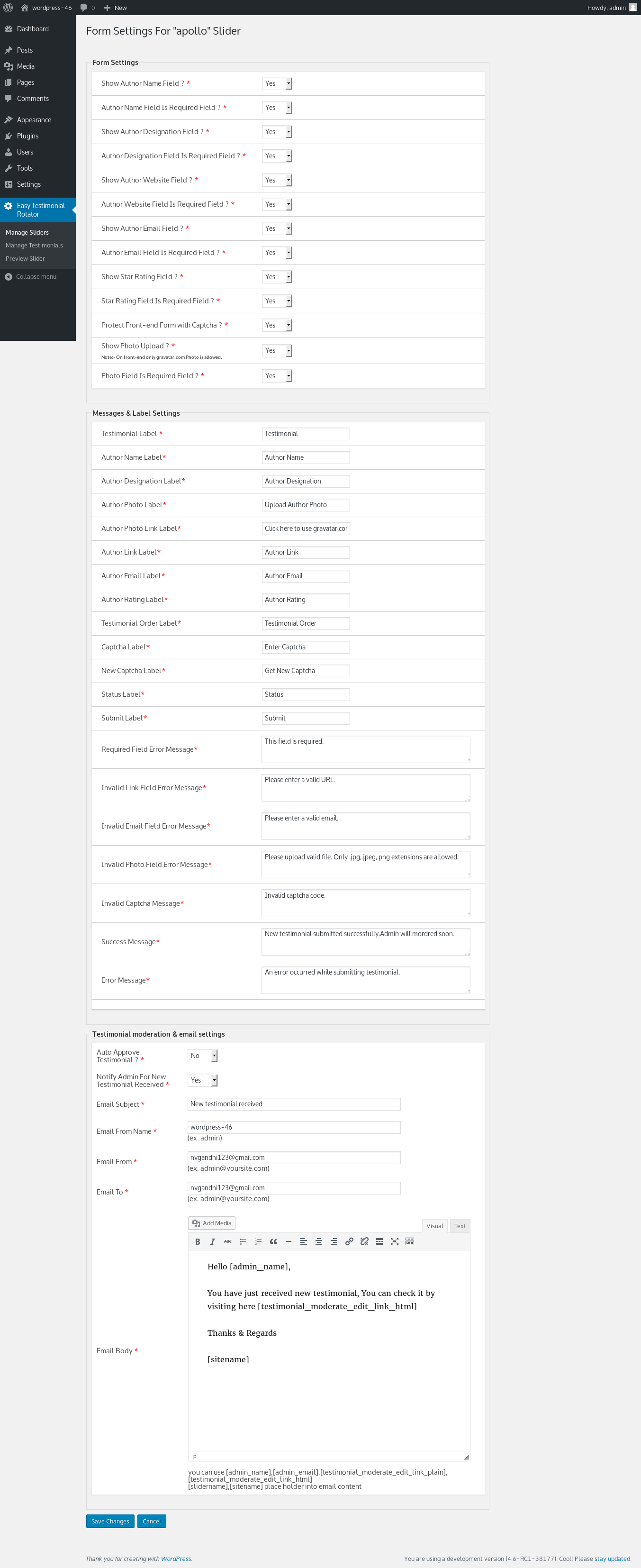
Pro Version testimonial form settings 
Pro Version Style 1 
Pro Version Style 2 
Pro Version Style 3 
Pro Version Style 4 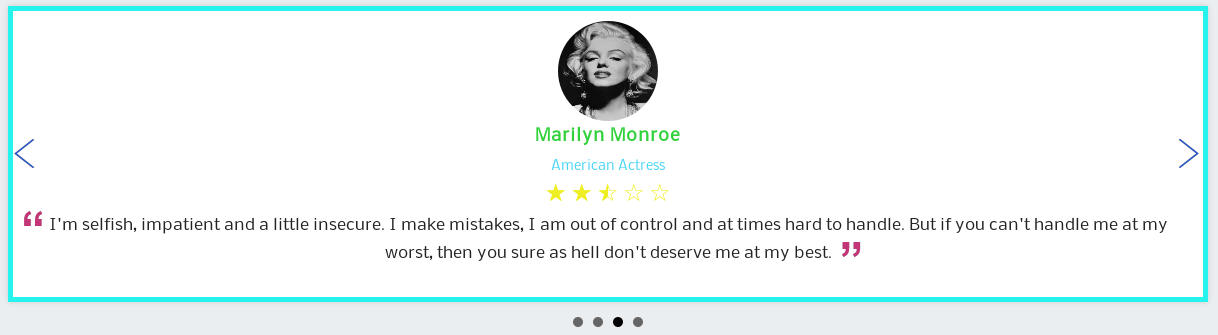
Pro Version Style 5
Blocks
This plugin provides 2 blocks.
- Testimonial Form Display the testimonial submission form anywhere on your site.
- Testimonial Slider Display your testimonial slider anywhere on your site.
Installation
- Go to Plugins Add New in your WordPress admin
- Search for “Easy Testimonial Slider”
- Click Install Now then Activate
- Go to Testimonial Slider in your admin menu to add testimonials
- Add the block to any page via the Gutenberg editor, or use the shortcode
FAQ
-
Does this work with the Gutenberg block editor?
-
Yes! The plugin includes dedicated Gutenberg blocks. Search for “Testimonial Slider” or “Testimonial Form” in the block inserter.
-
Can visitors submit their own testimonials?
-
Yes — enable the submission form with
[print_best_testimonial_form]shortcode or the Form block. All submissions go to pending status for your review. -
Can I protect the form from spam?
-
Yes — enable the captcha option in the form settings.
-
Can I display testimonials in a grid layout?
-
The slider layout is included in the free version. A responsive grid layout with pagination, multiple columns and card height control is available in the Pro version via the
[testimonial_grid]shortcode and the Testimonial Grid block. -
Can I have multiple sliders on different pages?
-
The free version includes 1 slider. Upgrade to Pro for unlimited sliders.
-
How do I change field labels for my language?
-
Go to the form settings page and customise every label and message — no translation file needed.
-
Does it work with page builders?
-
Yes — use the shortcode in any page builder that supports shortcodes, including Elementor, Beaver Builder and Divi.
-
Is there a Pro version?
-
Yes — Easy Testimonial Slider Pro adds 5 styles, star ratings, grid layout, unlimited sliders, custom colors, schema markup, CSV import/export and more.
Reviews


Contributors & Developers
“Easy Testimonial Slider and Form” is open source software. The following people have contributed to this plugin.
Contributors
Translate “Easy Testimonial Slider and Form” into your language.
Interested in development?
Browse the code, check out the SVN repository, or subscribe to the development log by RSS.
Changelog
1.0.28
- Added Gutenberg block for testimonial slider
- Added Gutenberg block for testimonial submission form
- Added secure frontend photo upload with Gravatar support
- Added activation welcome notice
- Added review prompt (shown after 2 weeks of use)
- Improved form security — nonce verification, rate limiting
- Fixed testimonial content not saving from admin panel
- Fixed activation notice flash during page redirect
1.0.27
- Added activation notice and review prompt
- Optimised readme for WordPress.org search
1.0.26
- Security improvements
- WordPress 6.9 compatibility
1.0.20
- Added webp image support
- Tested with WordPress 6.8
1.0.19
- Cross Site Scripting (XSS) vulnerability fixes
1.0.18
- Make plugin compatible with block editor
- Tested with WordPress 6.3
1.0.17
- Improve security
- Tested with WordPress 6.2
1.0.16
- Fixed Cross Site Scripting (XSS) vulnerability
1.0.15
- Fixed && error in javascript
- Tested with WordPress 5.9
1.0.14
- Fixed undefined variable error.
- Tested with WordPress 5.8
1.0.13
- Fixed small issue of image reload
1.0.12
- Fixed slider touch event not working in mobile
- Tested with WordPress 5.6
1.0.11
- Fixed slider not working with jQuery 3.x
1.0.10
- Improvements in slider loading
1.0.9
- Fixed slider image for lazy loading
- fixed blockquote:before css
- Tested with WordPress 5.5
1.0.8
- Remove jQuery.noConflic()
1.0.7
- Improve slider loading
1.0.6
- Fix touch issue not working in smartphone.
- Tested with WordPress 5.2
- Improve code so that slider and testimonial form works even jQuery included in footer.
1.0.5
- Fix chrome windows touch/click event not working properly
1.0.4
- Fix one css problem in wordpress 5.1 in admin plugin area of testimonial
- Tested with WordPress 5.1
1.0.3
- Improve security
- Added capabilities future, So admin can allow other roles to manage testimonials and settings.
- Improve admin UI for manage testimonials
- Tested with WordPress 5.0
1.0.2
-
Bug fix for shortcode not working in new wordpress 4.8 widgets
-
Made plugin translatable
1.0.1
- Bug fix for Jquery error when the form is on diffrent page
1.0
- Stable 1.0 first release