

Description
Payment Gateway for WooCommerce with Stripe allows you to easily accept payments on your WooCommerce store using Stripe.
With a single configuration, you can enable 30+ global payment methods including:
Credit Cards, Apple Pay, Google Pay, PayPal, Alipay, WeChat Pay, Klarna, Afterpay, ACH, iDEAL, FPX, GrabPay, OXXO, Multibanco, Bancontact, EPS, P24, Giropay, Affirm and more.
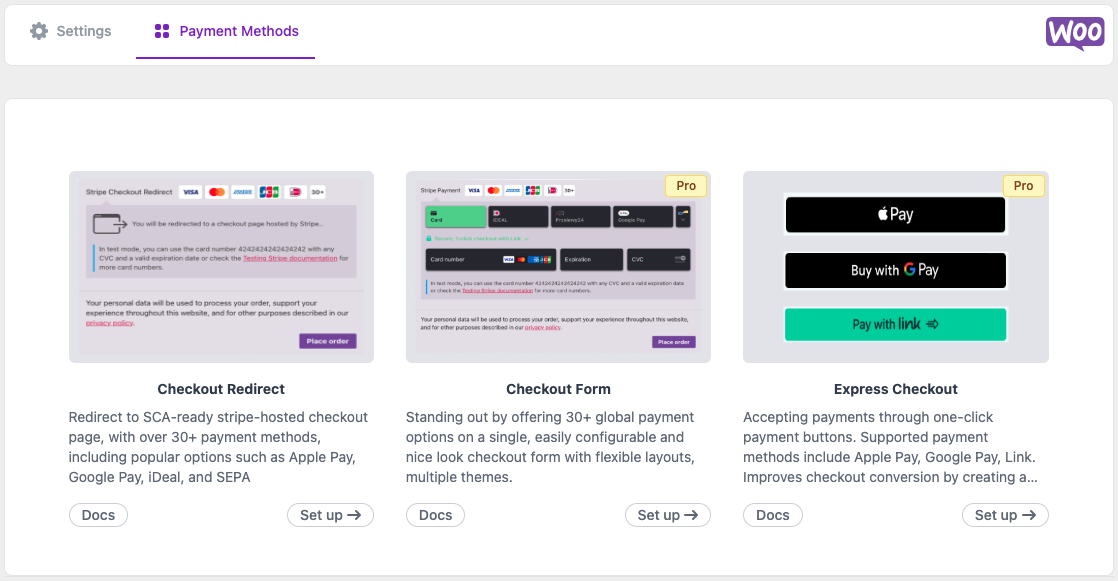
The plugin supports Stripe hosted checkout, express checkout buttons, and an all-in-one checkout form, helping WooCommerce stores accept global payments securely and efficiently.
Perfect for WooCommerce stores that want to:
- Accept Apple Pay and Google Pay
- Support global payment methods through Stripe
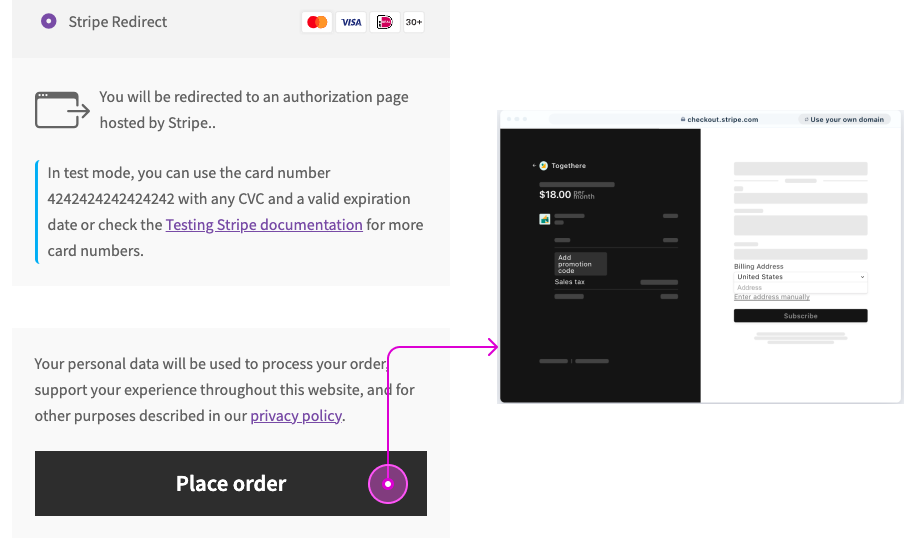
- Enable secure Stripe hosted checkout (SCA ready)
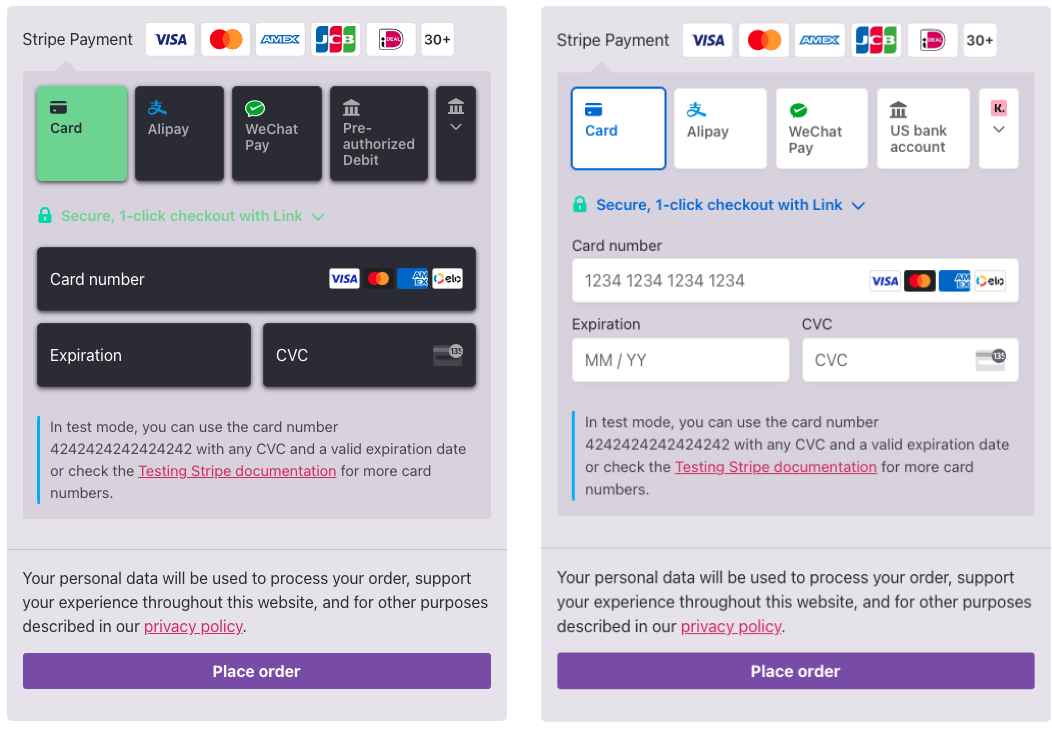
- Offer multiple payment options in a single checkout form
- Expand internationally with multi-currency support
Stripe handles payment security and compliance so you can focus on growing your business.
Features
🔒 Checkout Redirect
Redirect customers to the Stripe Hosted Checkout page, which is fully SCA-ready and PCI compliant.
This secure checkout experience simplifies payment handling and reduces compliance requirements.
Docs:
https://woo-docs.payaddons.com/payment-methods/checkout-redirect
🎉 Checkout Form (Pro)
Display 30+ Stripe payment methods inside a single WooCommerce checkout form.
Features include:
- Multiple layout options
- Modern checkout themes
- Unified payment interface
- Global payment method support
Docs:
https://woo-docs.payaddons.com/payment-methods/checkout-form-pro
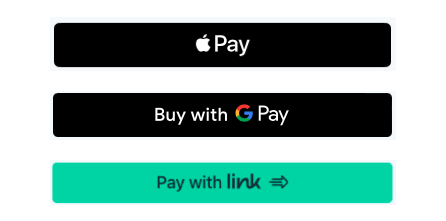
💳 Express Checkout (Pro)
Enable one-click checkout buttons on product and cart pages.
Supported methods include:
- Apple Pay
- Google Pay
- Link
Docs:
https://woo-docs.payaddons.com/payment-methods/express-checkout-pro
🔁 Subscriptions (Pro)
Compatible with:
WooCommerce Subscriptions
https://woocommerce.com/products/woocommerce-subscriptions/
Accept recurring payments through Stripe.
🎁 PayPal via Stripe (Pro)
Accept PayPal payments through Stripe.
Note: PayPal via Stripe is currently supported only for Stripe accounts based in Europe, according to Stripe documentation.
https://docs.stripe.com/payments/paypal
🌎 Multilingual & Multi-Currency
Expand your WooCommerce store globally.
Compatible with:
WPML
https://wpml.org/
Supports multiple currencies and languages, making international sales easier.
Supported Payment Methods
This plugin allows WooCommerce stores to accept 30+ payment methods supported by Stripe, including:
- Credit Cards
- Apple Pay
- Google Pay
- PayPal
- Alipay
- WeChat Pay
- Klarna
- Afterpay / Clearpay
- Affirm
- ACH
- iDEAL
- FPX
- GrabPay
- OXXO
- Bancontact
- Multibanco
- EPS
- P24
- Giropay
- Bank Transfer
Payment methods availability depends on your Stripe account region.
Why Choose This Plugin
- Supports 30+ global Stripe payment methods
- Accept Apple Pay and Google Pay in WooCommerce
- Stripe Hosted Checkout (SCA compliant)
- Modern express checkout buttons
- Easy setup with single Stripe configuration
- Compatible with WooCommerce Subscriptions
- Multi-currency and multilingual support
Designed to help WooCommerce stores accept payments globally using Stripe.
External services
This plugin connects to external services to provide payment processing and template functionality.
Stripe Payment Processing
The plugin connects to Stripe’s API:
https://api.stripe.com/v1/
JavaScript library:
https://js.stripe.com/v3/
Service provider: Stripe, Inc.
No personal data is transmitted to these services without user consent during payment processing.
Screenshots
Installation
- Install and activate the plugin.
- Go to WooCommerce Settings Payments.
- Enable Stripe Payment Gateway.
- Enter your Stripe API keys.
- Enable payment methods in your Stripe dashboard.
Your WooCommerce store is now ready to accept payments via Stripe.
FAQ
-
Does this require an SSL certificate?
-
Yes. In Live Mode, an SSL certificate is required to process payments with Stripe.
-
Does this support sandbox/testing mode?
-
Yes. You can switch between Test Mode and Live Mode in the plugin settings.
-
Does this support Apple Pay and Google Pay?
-
Yes. Apple Pay and Google Pay are supported through Stripe Express Checkout.
-
Does this support Alipay and WeChat Pay?
-
Yes. These payment methods can be enabled through your Stripe dashboard if supported in your region.
-
Where can I find documentation?
-
Documentation is available here:
https://woo-docs.payaddons.com
-
Where can I get support?
-
Please contact:
support@payaddons.com
Reviews


Contributors & Developers
“Payment Gateway for WooCommerce with Stripe – by Pay Addons” is open source software. The following people have contributed to this plugin.
Contributors
Translate “Payment Gateway for WooCommerce with Stripe – by Pay Addons” into your language.
Interested in development?
Browse the code, check out the SVN repository, or subscribe to the development log by RSS.