

Description
Lichtbild renders photo galleries as a justified grid whose geometry is settled in CSS before the
images arrive, so nothing reflows as the page loads. The lightbox is imported on first click,
which means a page full of galleries costs no JavaScript until somebody opens an image.
What it does
- A justified grid that needs no JavaScript. Every item is sized and grown in proportion to
its own aspect ratio, so a row settles at one shared height with no measuring and no layout
pass after loading. Fixed-column layouts are supported too. - Grid images are WordPress derivatives with a
srcset, not the full-size original. - PhotoSwipe 5, dynamically imported on first click. Assets are enqueued only once a gallery
has actually rendered, never site-wide. - Per-image tags, filtered server-side. The filter spans the whole gallery rather than the
page currently rendered, so a tag that matches nothing on page one still works. - Pagination with AJAX, with a lightbox that can span every page.
- EXIF display, read from the metadata WordPress already parsed at upload rather than by
re-reading the file on every request. - Deep links that name the image rather than its position, so a shared link opens the same
photograph regardless of the filter or page the recipient lands on. - Blocks for galleries and albums, plus shortcodes.
- Intrinsic
width/heighton every image, so nothing shifts as the page loads.
Migrating from Envira Gallery
Lichtbild can read Envira Gallery’s records where they lie, without copying or converting
anything, so you can compare the two by toggling a plugin. When you are ready, a migration on
the settings screen moves the galleries onto Lichtbild’s own storage in place: post IDs never
change, so existing shortcodes keep working, and existing permalinks keep resolving. Envira’s
original records are left untouched, and the migration can be rolled back from the same screen.
Lichtbild is not affiliated with, endorsed by, or connected to Envira Gallery or Awesome
Motive. “Envira Gallery” is their product and their trademark. Lichtbild contains no Envira
code; it names Envira only to describe what it can read and what it replaces.
On a site with no Envira history, Lichtbild serves its galleries from /gallery/, /album/ and
/gallery-tag/. A site migrating from Envira keeps Envira’s existing paths, so no indexed URL
moves. Both are overridable through the lichtbild_url_slugs filter.
Screenshots


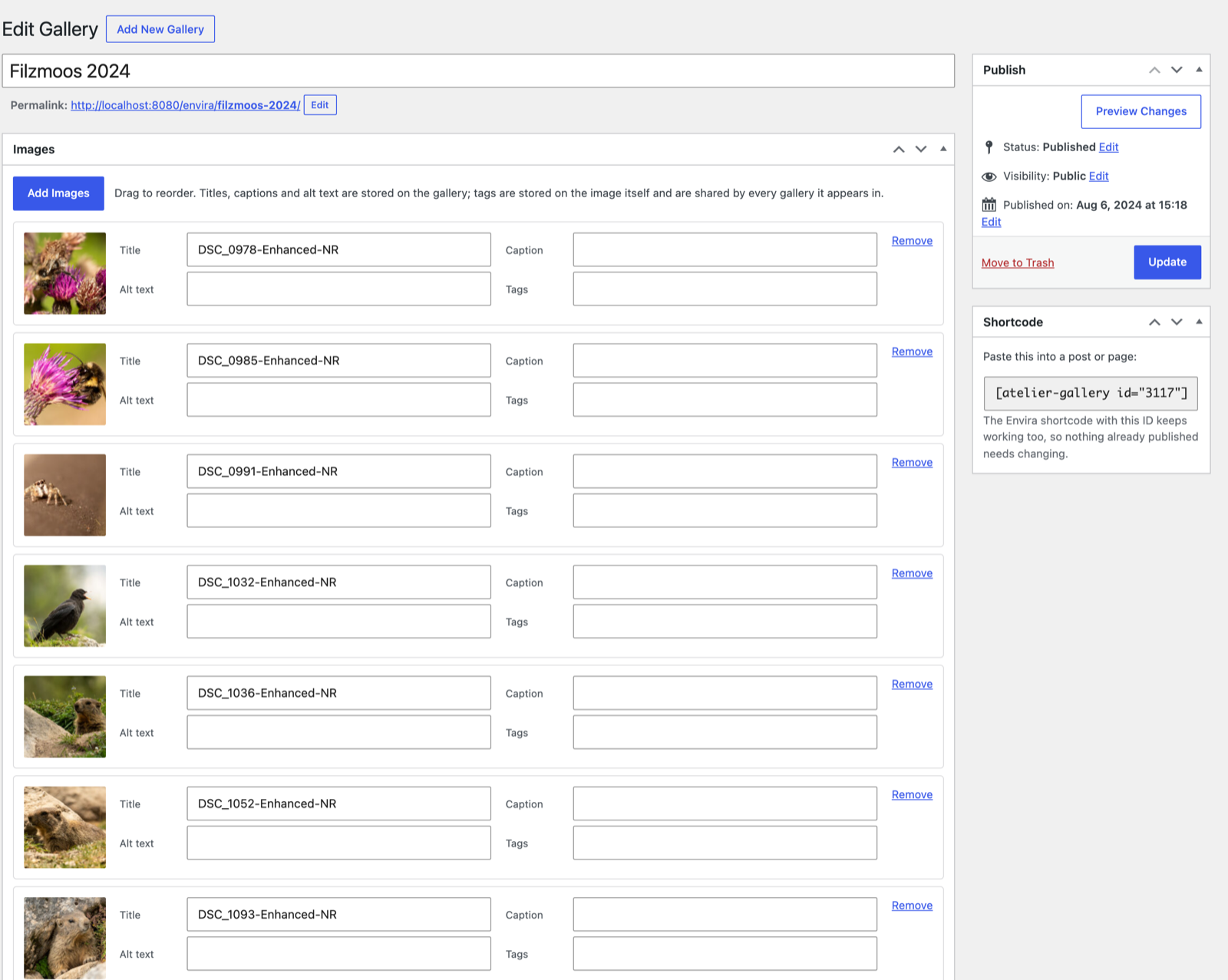

Blocks
This plugin provides 2 blocks.
- Lichtbild Gallery Places an existing Lichtbild gallery in the post.
- Lichtbild Album Places an existing Lichtbild album in the post.
Installation
- Upload the plugin to
wp-content/plugins/lichtbild-galleryand activate it. - Galleries appear under Lichtbild in the admin menu. Create one, add images, and drag to order them.
- Embed it with the Lichtbild Gallery block, or with
[lichtbild-gallery id="123"].
If Envira Gallery is installed, Lichtbild stays out of its way: the takeover setting under
Settings Lichtbild defaults to handling [envira-gallery] only while Envira is inactive.
FAQ
-
Does it need a page builder or a build step?
-
No. There is no bundler and no npm dependency at runtime. PhotoSwipe is bundled.
-
Is the source of the bundled JavaScript included?
-
Yes. Nothing here is generated: every file the plugin ships is the source. PhotoSwipe 5.4.4 is
vendored underassets/vendor/photoswipe/with its MIT licence, and the unminified.esm.js
sources sit beside the.esm.min.jsfiles they were minified from. -
Will migrating from Envira change my URLs?
-
No. The migration renames post types in place and pins the URL paths to the ones already
published, so permalinks and shortcodes keep resolving to the same galleries. -
Can I go back?
-
Yes. The migration leaves Envira’s own records untouched and can be rolled back from the
settings screen, which restores the original post types rather than reconstructing them. -
On the attachment, as a taxonomy, so tagging an image affects it everywhere it appears rather
than only in one gallery.
Reviews
There are no reviews for this plugin.
Contributors & Developers
“Lichtbild Gallery” is open source software. The following people have contributed to this plugin.
Contributors
“Lichtbild Gallery” has been translated into 1 locale. Thank you to the translators for their contributions.
Translate “Lichtbild Gallery” into your language.
Interested in development?
Browse the code, check out the SVN repository, or subscribe to the development log by RSS.
Changelog
26.8.26
- Fixed: on a new installation, gallery, album and tag permalinks returned 404 until the
permalink settings were saved again. The rules are now rebuilt when the plugin is activated.
26.8.25
- Fixed: deleting the plugin and installing it again could leave migrated galleries in the
database but invisible. They are found again automatically. - Fixed: an album could be made to store a gallery its editor had no permission to open, and the
gallery and album pickers listed other authors’ unpublished items. - Fixed: the message shown when a gallery page fails to load was empty, and a failed lightbox
load stopped every later image from opening until the page was reloaded. - Fixed: tag filter buttons now report which one is selected to screen readers.
- The migration now warns when a setting it copies alongside the galleries cannot be written.
26.8.24
- Renamed to Lichtbild Gallery. The former name was too close to plugins already in this
directory. Nothing a visitor sees changed: gallery, album and tag URLs stay where they are and
the[envira-gallery]shortcode keeps working. - Galleries, albums and image tags now live under Lichtbild’s own post types and meta keys.
26.8.23
- Envira Gallery’s
[envira-gallery]and[envira-album]shortcodes are now taken over only on
a site that has Envira records. A site that never used Envira registers only Lichtbild’s own two
shortcodes; a site continuing an Envira installation is unaffected. - The
lichtbild_config_sanitizefilter no longer receives the raw form submission as a second
argument. Callbacks get the sanitised settings only.
26.8.22
- Per-gallery Custom CSS has been removed, in line with the Plugin Directory guideline against
storing and printing arbitrary CSS entered through a plugin’s own interface. Style your
galleries in Appearance > Customize > Additional CSS instead: a gallery is#lichtbild-<id>and
its wrapper#lichtbild-<id>-wrap, so existing rules keep working once moved. - The upgrade itself deletes no CSS, and
tools/export-custom-css.pyin the source repository
prints what is still stored, ready to paste. Move it before you next save an affected gallery:
saving rewrites that gallery’s settings record, which is where the most recent version of the
CSS lives on a site migrated from Envira Gallery. - Translations now come from translate.wordpress.org rather than a catalogue bundled in the
plugin.
26.8.21
- A gallery created on a site that never had Envira Gallery now renders on its own permalink.
It answered with the page title and none of its photographs, because the setting that governs
this fell back to a value only a site migrating from Envira has.
26.8.20
- The currently selected button in the tag filter is legible again. It had been painted in the
same colour as its own background, so the applied tag could not be read. Themes can now set
the pair through the--lichtbild-tag-filland--lichtbild-tag-labelcustom properties.
26.8.19
- Pagination, tag filtering and the lightbox no longer stop working on sites that use full-page
caching, where the nonce a logged-out visitor holds is routinely older than the page. - Deep links to a single image that were shared before the plugin was renamed resolve again.
26.8.18
- Generic URL paths by default for new installs; sites with an Envira history keep the paths
they already publish, recorded once rather than re-derived. - Bundled translations are loaded explicitly, so they apply on WordPress 6.x as well as 7.
- Fixed converted custom CSS targeting a gallery’s wrapper, which produced a selector that
matched no element. - A failed pagination request now says so instead of silently keeping the previous page.
26.8.15
- Galleries and albums are centred in the content column again.